Getting started快速入门
Install, verify, and run your first command in about two minutes.
两分钟内完成安装、验证,并跑通第一条命令。
1Install安装
conda create -n gpumdkit -c gpumdkit -c conda-forge gpumdkitConda is the recommended route: it installs GPUMDkit with its standard dependencies, with no repository clone or environment variables. Then conda activate gpumdkit. Choose source if you want to read or modify the code — the installer writes GPUMDkit_path and PATH to your ~/.zshrc or ~/.bashrc after backing it up.
推荐使用 Conda:它会连同标准依赖一起安装 GPUMDkit,无需克隆仓库或配置环境变量,安装后执行 conda activate gpumdkit 即可。如果想阅读或修改代码,请选择 source:安装脚本会先备份 ~/.zshrc 或 ~/.bashrc,再写入 GPUMDkit_path 和 PATH。
2Check that it works检查安装
gpumdkit.sh -h        # list every option
gpumdkit.sh -doctor # check the Python environmentMISS for an optional package is not an error. -doctor reports common and optional packages; install an optional one only when you need the feature that uses it, e.g. pip install neptrain calorine.MISS 并不是错误。-doctor 会报告常用和可选的 Python 包;只有在需要对应功能时才安装,例如 pip install neptrain calorine。3Your first conversion第一次转换
Run this in a new directory so no existing file is overwritten. It converts a one-atom silicon POSCAR to extended XYZ, the training-data format of NEP.
请在一个新目录中运行,以免覆盖已有文件。下面把一个单原子硅的 POSCAR 转换为 NEP 使用的扩展 XYZ 训练数据格式。
mkdir gpumdkit-first-check && cd gpumdkit-first-check
cat > POSCAR << 'EOF'
Si
1.0
0 2.715 2.715
2.715 0 2.715
2.715 2.715 0
Si
1
direct
0 0 0
EOF
gpumdkit.sh -pos2exyz POSCAR model.xyzConversion completed, structures saved to model.xyz
1
Lattice="0.0 2.715 2.715 2.715 0.0 2.715 2.715 2.715 0.0" Properties=species:S:1:pos:R:3 pbc="T T T"
Si 0.00000000 0.00000000 0.000000004Two ways to work两种使用方式
Every tool is reachable both ways. Use the menu to explore; use options in scripts and batch jobs.
所有工具都可以通过两种方式调用:菜单适合探索,命令行选项适合脚本与批处理。
Interactive menu交互菜单
 ---------------------- GPUMD ------------------------
 1) Format Conversion          2) Sample Structures
 3) Workflow                   4) Calculators
 5) Analyzer                   6) Visualization
 7) Utilities                  8) Help
 0) Exit
 ------------>>
 Input the function number:
Type a module number, then a function number such as 203. At file prompts Tab completes names.
输入模块编号,再输入功能编号(如 203)。在文件名提示处可用 Tab 补全。
Command line命令行
gpumdkit.sh -out2xyz ./scf_results
gpumdkit.sh -min_dist_pbc dump.xyz
gpumdkit.sh -plt train
gpumdkit.sh -calc msd dump.xyz Li 10

gpumdkit.sh -plt -h        # list plot types
gpumdkit.sh -range -h      # help of one option
-h lists everything; gpumdkit.sh -<option> -h shows the arguments of Python-backed options.
-h 列出全部选项;对基于 Python 的选项,gpumdkit.sh -<option> -h 会显示其参数说明。
How to read the examples示例约定
| Notation写法 | Meaning含义 | Example示例 |
|---|---|---|
<required> | A value you must provide; do not type the angle brackets.必须提供的值,不要输入尖括号。 | <output.xyz> → model.xyz |
[optional] | May be omitted; the script then uses its documented default.可省略,省略后脚本使用文档中的默认值。 | [max_corr_steps] |
... | One or more values.一个或多个值。 | <element...> |
dt_fs must match how your trajectory was written; GPUMDkit does not read them from the MD input file. Example values like Li 1 only show the argument format, they are not defaults.dt_fs 等时间参数必须与你自己的轨迹写出方式一致,GPUMDkit 不会从 MD 输入文件中读取。Li 1 之类的示例值只用于说明参数格式,并非默认值。The NEP data pipelineNEP 数据流程
Where each GPUMDkit module fits in building and improving a neural-network potential.
GPUMDkit 的各个模块在构建和改进神经网络势函数的流程中各自处于什么位置。
Prepare structures准备结构 GPUMDkit
Turn POSCAR, CIF, XDATCAR, LAMMPS or ASE files into extxyz; replicate cells to the size you need.
把 POSCAR、CIF、XDATCAR、LAMMPS 或 ASE 文件转换为 extxyz,并按需扩胞。
Select configurations挑选构型 GPUMDkit
Sample frames from MD (uniform, random, farthest-point) and drop unphysical ones by distance or box size.
从 MD 轨迹中采样(均匀、随机、最远点),并按距离或盒子尺寸剔除不合理结构。
Label with DFTDFT 标注 you run it由你运行
Function 301 prepares VASP or CP2K single-point directories. GPUMDkit does not submit jobs: run DFT with your own settings.
301 会生成 VASP 或 CP2K 单点计算目录。GPUMDkit 不会提交任务,DFT 需用你自己的参数运行。
Collect and check收集并检查 GPUMDkit
Convert the DFT output to extxyz, then check energy/force ranges, minimum distances and composition.
把 DFT 结果转换为 extxyz,再检查能量/力范围、最小原子间距和成分。
Train the NEP训练 NEP you run it由你运行
Run nep from GPUMD yourself, then inspect loss curves and parity plots with GPUMDkit.
自行运行 GPUMD 的 nep,再用 GPUMDkit 查看损失曲线与对比图。
Explore with MD用 MD 探索 you run it由你运行
Run GPUMD with the new model, follow its progress, and analyse the trajectory.
用新模型运行 GPUMD,跟踪进度并分析轨迹。
Which command do I need?我该用哪条命令?
| I want to…我想…… | Run运行 | Chapter章节 |
|---|---|---|
| convert a folder of VASP OUTCAR files转换一批 VASP OUTCAR | 03 | |
| convert a CIF to extxyz把 CIF 转为 extxyz | 03 | |
| pick diverse frames from a long trajectory从长轨迹中挑选多样性帧 | 04 | |
| find overlapping atoms in a dataset找出数据集中原子过近的结构 | 07 | |
| see how a NEP training is going查看 NEP 训练情况 | 08 | |
| get an ionic conductivity from MSD由 MSD 得到离子电导率 | 06 | |
| look at runs in a browser, remotely在浏览器里远程查看计算 | 09 |
Format conversion格式转换
Bring DFT and MD outputs into extxyz, and reshape extxyz files for training.
把 DFT 与 MD 的输出转换为 extxyz,并整理成适合训练的形式。
GPUMDkit converts between the formats used in computational materials science and the extended XYZ (extxyz) files used by GPUMD and NEP. Run it in the directory where you want the results: most converters write into the current directory, even when the input is elsewhere.
GPUMDkit 在计算材料学常用格式与 GPUMD/NEP 使用的扩展 XYZ(extxyz)之间转换。请在希望保存结果的目录中运行:多数转换器即使输入文件在别处,也会把结果写到当前目录。
Anatomy of an extxyz fileextxyz 文件长什么样
2
Lattice="5.43 0.0 0.0 0.0 5.43 0.0 0.0 0.0 5.43" Properties=species:S:1:pos:R:3:forces:R:3 energy=-10.52 virial="-0.21 0.0 0.0 0.0 -0.21 0.0 0.0 0.0 -0.21" pbc="T T T"
Si  0.00  0.00  0.00   0.012 -0.020  0.003
Si  1.36  1.36  1.36  -0.012  0.020 -0.003
- Atom count of this frame; a file stacks many frames.
- Lattice: nine numbers (three cell vectors, row-major, in Å).
- Properties declares the atom columns: species, position, force.
- Frame labels: total energy and virial (eV) from the reference calculation.
- One line per atom: element, position (Å), force (eV/Å).
- 原子数:当前帧的原子个数,一个文件可以串联很多帧。
- Lattice:9 个数(三个晶格矢量,按行排列,单位 Å)。
- Properties 声明每个原子行包含哪些列:元素、坐标、力。
- 帧级标签:参考计算得到的总能量和维里(eV)。
- 每个原子一行:元素、坐标(Å)、力(eV/Å)。
Converters at a glance常用转换器一览
| From来源 | To目标 | Command命令 |
|---|---|---|
| VASP OUTCAR | extxyz | |
| VASP OUTCAR (Python) | extxyz | |
| VASP OUTCAR with Born charges含 Born 有效电荷的 OUTCAR | extxyz + BEC | |
| VASP XDATCAR | extxyz | |
| POSCAR | extxyz | |
| CIF | extxyz | |
| CIF | POSCAR | |
| CP2K logs | extxyz | |
| LAMMPS dump / dataLAMMPS dump / data | extxyz | |
| ASE trajectoryASE 轨迹 | extxyz | |
| DeepMD npy | extxyz | |
| extxyz | POSCAR | |
| POSCAR | LAMMPS data | |
| extxyz | DeepMD npy |
ABACUS and MTP converters are in the interactive menu: gpumdkit.sh → 1 → 104 / 102.
ABACUS 与 MTP 转换器在交互菜单中:gpumdkit.sh → 1 → 104 / 102。
Edit an extxyz file编辑 extxyz 文件
| Task任务 | Command命令 |
|---|---|
| Replicate a cell by factors按倍数扩胞 | |
| Replicate toward a target atom count扩胞到目标原子数附近 | |
| Add GPUMD group labels添加 GPUMD 分组标签 | |
| Add a structure weight添加结构权重 | |
| Extract one frame提取单帧 | |
| Extract frames by fractional range按比例区间提取多帧 | |
| Remove extra properties移除多余属性 |
Structure sampling and filtering结构采样与过滤
Choose informative frames from MD and drop unphysical ones.
从 MD 轨迹中挑选有信息量的构型,并剔除不合理的结构。
Training sets should be diverse, not just large. GPUMDkit offers several ways to choose and clean candidate structures. Enter file names at the prompts of the interactive menu: gpumdkit.sh → 2.
训练集需要的是多样性,而不只是数量。GPUMDkit 提供多种方式挑选和清理候选结构。在交互菜单中进入 gpumdkit.sh → 2,并按提示输入文件名。
Uniform / random均匀 / 随机采样
Quick frame selection from a trajectory; optionally skip the first frames.
从轨迹中快速选帧,可跳过开头的若干帧。
dump.xyz uniform 50Farthest-point (FPS)最远点采样(FPS)
Descriptor-based FPS with NepTrain. The preferred way to build a diverse set.
基于 NepTrain 描述符的 FPS,是构建多样性数据集的首选。
Perturb结构微扰
Generate perturbed structures from POSCAR/CONTCAR.
由 POSCAR/CONTCAR 生成微扰结构。
Force deviation力偏差选点
Rank structures by committee force deviation (from GPUMD active output) and cap their number.
按委员会模型的力偏差(来自 GPUMD 的 active 输出)排序并限制数量。
Train / test split训练 / 测试集划分
Inspect and split an extxyz dataset by uniform, random or FPS selection.
检查并按均匀、随机或 FPS 方式划分 extxyz 数据集。
PyNEP (deprecated)PyNEP(已弃用)
Kept for older workflows; use 203 instead.
为兼容旧流程保留,请改用 203。
gpumdkit.sh -pynepClean before you select挑选之前先清理
Check distances first, then filter. -min_dist_pbc only reports; the -filter_* commands remove structures and write a new file.
先检查距离,再做过滤。-min_dist_pbc 只做报告;-filter_* 系列会删除结构并写出新文件。
gpumdkit.sh -min_dist_pbc dump.xyz                        # report only
gpumdkit.sh -filter_dist_pbc dump.xyz <min_distance>      # writes filtered_dump.xyz
gpumdkit.sh -filter_box filtered_dump.xyz <edge_limit>    # optional, writes filtered_by_box.xyz
gpumdkit.sh # 2) Sample Structures -> 203| Command命令 | What it keeps保留什么 |
|---|---|
| Structures whose minimum distance (no PBC) exceeds the limit最小距离(不含周期性)大于阈值的结构 | |
| Same, with periodic boundary conditions同上,考虑周期性边界 | |
| Structures within a box-edge limit盒子边长在限制之内的结构 | |
| Structures that pass a property threshold满足性质阈值的结构 | |
| Structures whose element-pair distance lies in a range指定元素对距离落在区间内的结构 |
Workflows工作流
Prepare batches of DFT and MD jobs without writing the glue scripts yourself.
批量准备 DFT 与 MD 任务,不用自己再写胶水脚本。
Workflow scripts prepare directories, inputs and links. They never submit calculations: you review the generated files and run DFT, GPUMD or LAMMPS yourself.
工作流脚本只负责准备目录、输入文件和链接,不会提交任何计算:请检查生成的文件,并自行运行 DFT、GPUMD 或 LAMMPS。
SCF batchSCF 批量预处理
Create DFT single-point directories for many structures (VASP or CP2K).
为大量结构生成 DFT 单点计算目录(VASP 或 CP2K)。
MD batch (GPUMD)MD 采样批量预处理(GPUMD)
Create one GPUMD sampling directory per structure, linked to shared inputs.
为每个结构生成 GPUMD 采样目录,并链接共享输入文件。
MD batch (LAMMPS)MD 采样批量预处理(LAMMPS)
The same, for LAMMPS-based sampling.
同上,用于基于 LAMMPS 的采样。
What 301 builds (VASP)301 会生成什么(VASP)
gpumdkit.sh → 3 → 301 → VASP
.
├── struct_fp/      # the structures to label
├── fp/             # put your INCAR, POTCAR and KPOINTS here
│   └── ...            # one calculation directory per structure
└── presub.sh      # generated helper script — review before use
Before submitting, check the number of structures, atom and species order, cells, DFT inputs and the job script. For CP2K (301 → 2) GPUMDkit asks for an extxyz file, an input template and a directory prefix.
提交之前,请检查结构数量、原子与元素顺序、晶胞、DFT 输入以及作业脚本。CP2K 分支(301 → 2)会询问 extxyz 文件、输入模板和目录前缀。
nep.txt and one run_<index>.in per structure into the generated md/ directory, and check each directory points to the right files. GPUMD appends to some outputs, so rerun in a clean directory or archive old results.nep.txt 以及每个结构对应的 run_<index>.in 放入生成的 md/ 目录,并确认每个目录指向正确的文件。GPUMD 会向部分输出追加内容,请在干净目录中重跑或先归档旧结果。Calculators计算器
NEP-powered predictions and trajectory analysis from one entry point.
从同一个入口完成基于 NEP 的预测和轨迹分析。
Calculators run NEP-based or trajectory-based calculations. Syntax: gpumdkit.sh -calc <type> [args...]; gpumdkit.sh -calc -h lists them all.
计算器用于基于 NEP 模型或轨迹的各类计算。语法:gpumdkit.sh -calc <type> [args...];gpumdkit.sh -calc -h 可列出全部类型。
| Task任务 | Command命令 | Needs需要 |
|---|---|---|
| Ionic conductivity离子电导率 | msd.out, thermo.out, model.xyz | |
| MSD from trajectory由轨迹计算 MSD | extxyz trajectoryextxyz 轨迹 | |
| Predict with NEP用 NEP 预测 | extxyz + nep.txt | |
| NEP prediction filesNEP 预测输出文件 | labeled extxyz + nep.txt带标签的 extxyz + nep.txt | |
| Descriptors描述符 | extxyz + nep.txt | |
| DOAS | extxyz + nep.txt | |
| NEB | initial/final structures + nep.txt初末态结构 + nep.txt | |
| Minimization结构优化 | structure + nep.txt结构 + nep.txt | |
| Neighbor list / displacement / average structure近邻表 / 位移 / 平均结构 | see polar-material page见极性材料分析页面 | |
| Octahedral tilt / ABO3 polarization八面体倾转 / ABO3 极化 | see polar-material page见极性材料分析页面 | |
| XRD, phonon band structure | interactive only: 4 → 413 / 414仅交互模式:4 → 413 / 414 | extxyz trajectory; PRIMCELL.vasp + nep.txt + QPOINTSextxyz 轨迹;PRIMCELL.vasp + nep.txt + QPOINTS |
Example: ionic conductivity示例:离子电导率
gpumdkit.sh -calc ionic-cond Li 1 # <element> <charge>msd.out must hold time and MSD_x/y/z in its first four columns. Inspect the MSD curve and its convergence (gpumdkit.sh -plt msd, -plt msd_conv) before interpreting the number. Li 1 is only a format example; supply the charge appropriate to your system.msd.out 的前四列必须是时间和 MSD_x/y/z。解读数值前,请先查看 MSD 曲线及其收敛性(gpumdkit.sh -plt msd、-plt msd_conv)。Li 1 仅为格式示例,电荷请按你的体系给定。Analyzers分析器
Composition, ranges, distances and charge balance — know your data first.
成分、范围、间距与电荷平衡——先了解你的数据。
Analyzers inspect an extxyz file without changing it, so you can trust a dataset before you train on it.
分析器只检查 extxyz 文件而不修改它,让你在训练之前先确认数据可信。
| Command命令 | Answers回答的问题 |
|---|---|
| Which compositions are in the set, and how many of each?数据集中有哪些成分,各有多少? | |
| Which chemical species occur?出现了哪些化学物种? | |
| Is the charge balanced?电荷是否平衡? | |
| What is the range (and histogram) of this property?该性质的范围(及直方图)如何? | |
| What is the smallest interatomic distance (no PBC)?最小原子间距是多少(不含周期性)? | |
| …with periodic boundary conditions?……考虑周期性边界时呢? | |
| Where does a species spend its time (probability density)?某物种主要出现在什么位置(概率密度)? | |
| Interactively shift the energy reference of an extxyz file.交互式平移 extxyz 的能量参考点。 |
502 in the interactive menu finds outliers; gpumdkit.sh -filter_* (chapter 04) removes structures once you know what to remove.
交互菜单中的 502 用于查找异常结构;确认要剔除什么之后,再用 gpumdkit.sh -filter_*(第 04 章)删除。
A five-line dataset health check五行命令的数据集体检
gpumdkit.sh -analyze_comp new_reference.xyz
gpumdkit.sh -range new_reference.xyz energy
gpumdkit.sh -range new_reference.xyz force
gpumdkit.sh -min_dist_pbc new_reference.xyz
gpumdkit.sh -cbc new_reference.xyzPlots and visualization绘图与可视化
From training curves to phonons: publication-ready figures, one option each.
从训练曲线到声子谱:每种图一个选项,直接出论文级图片。
Every plot is one option: gpumdkit.sh -plt <type>. Run it in the directory that holds the GPUMD or NEP outputs. Several plots accept save to write an image instead of opening a window; gpumdkit.sh -plt -h lists all types and arguments.
每种图只需一个选项:gpumdkit.sh -plt <type>。请在存放 GPUMD 或 NEP 输出的目录中运行。部分绘图支持 save 参数,直接保存图片而不弹出窗口;gpumdkit.sh -plt -h 可列出全部类型及参数。
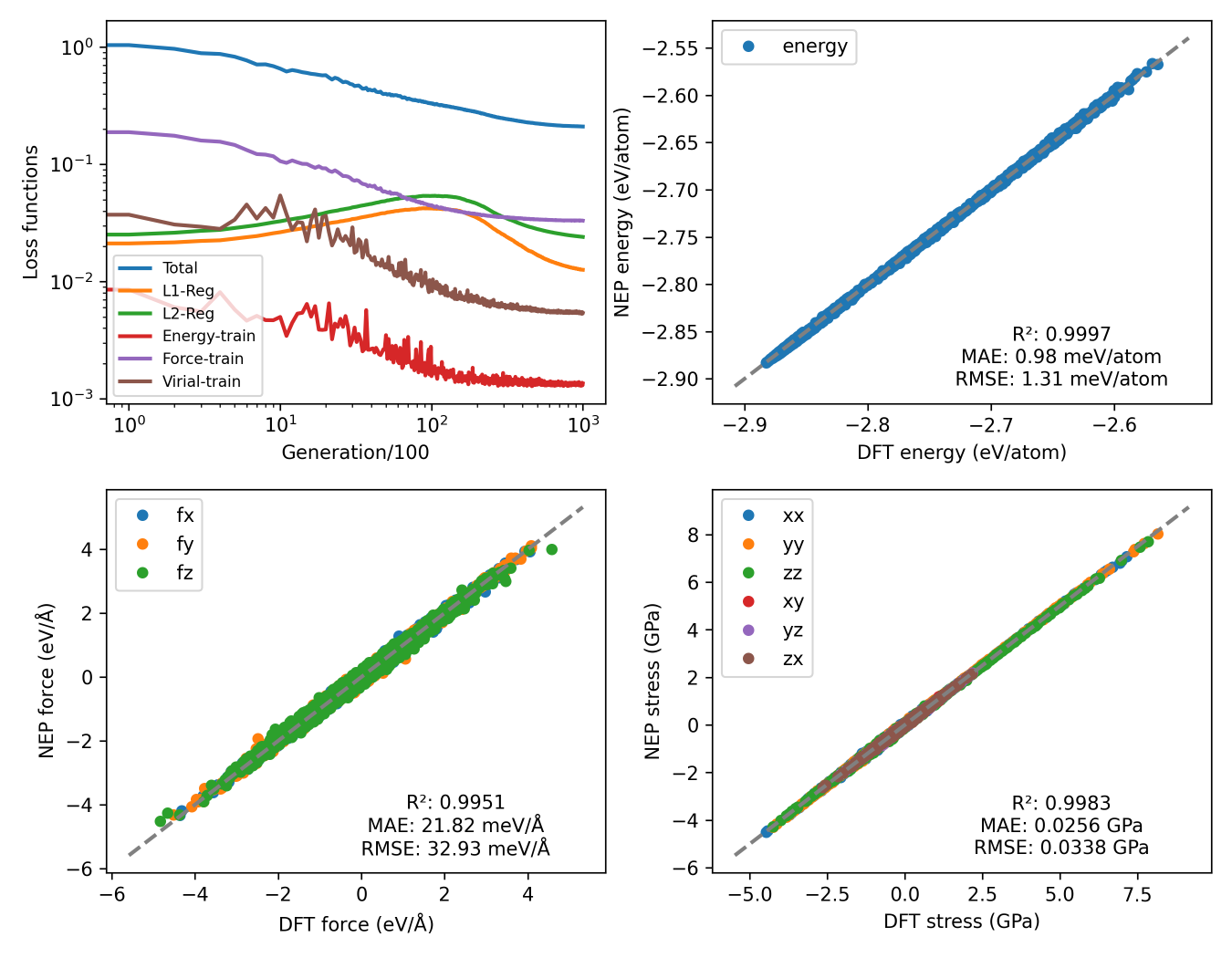
gpumdkit.sh -plt train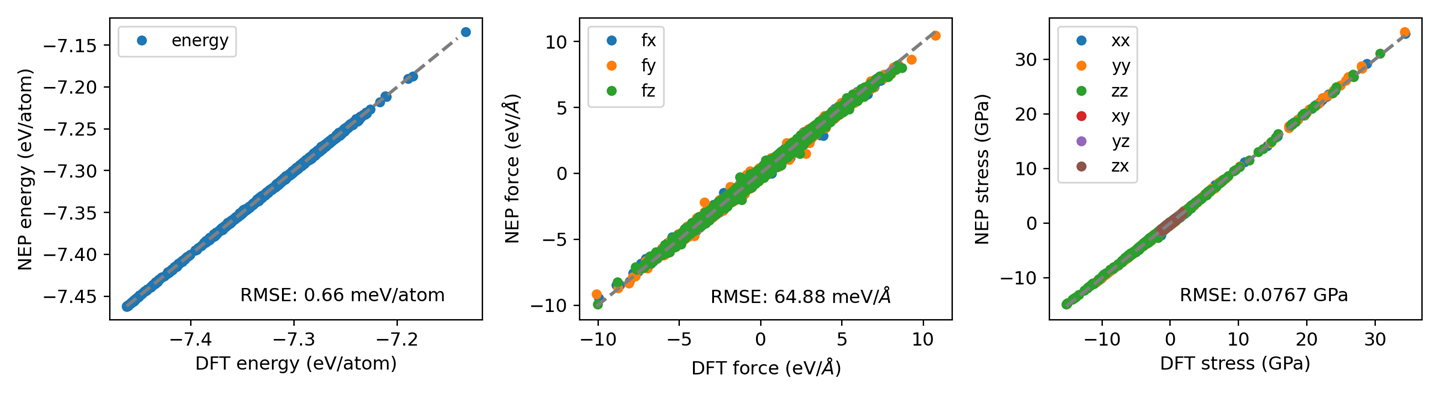
gpumdkit.sh -plt prediction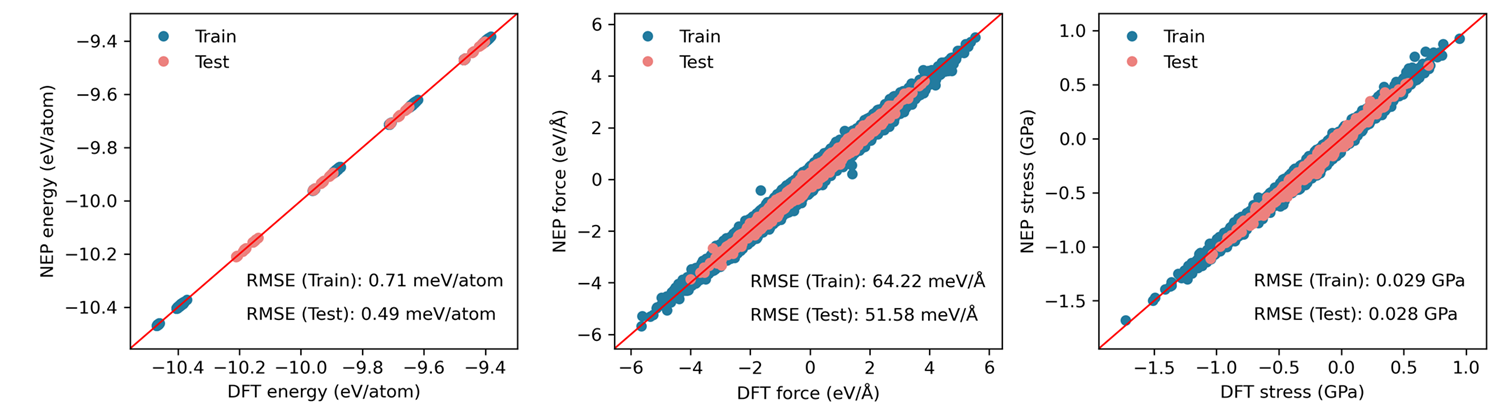
gpumdkit.sh -plt train_test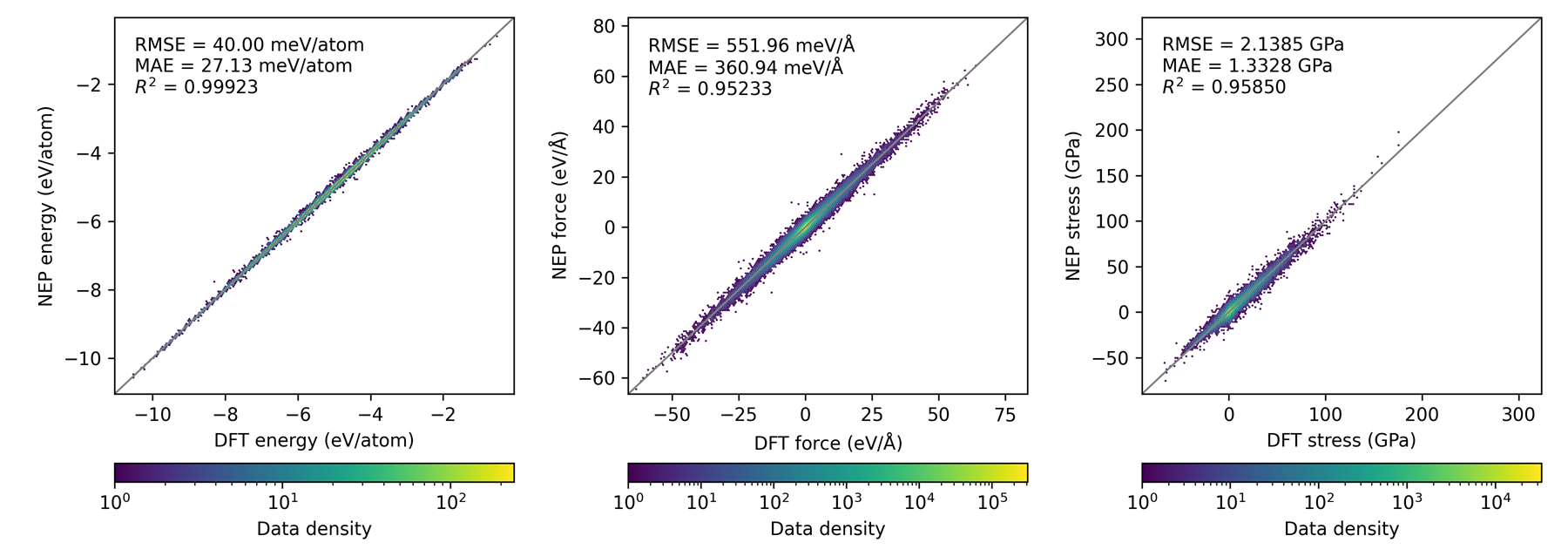
gpumdkit.sh -plt parity_density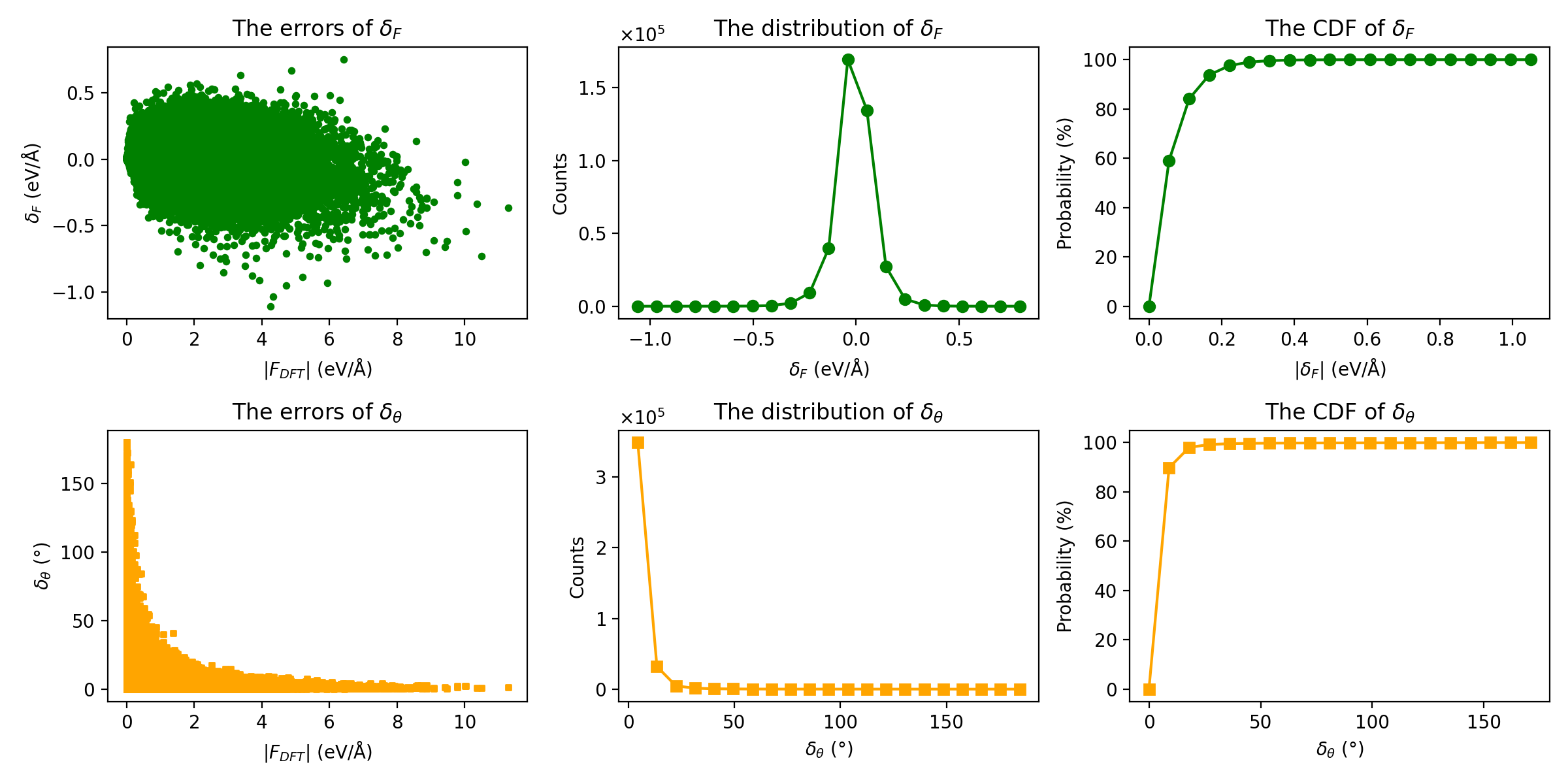
gpumdkit.sh -plt force_errors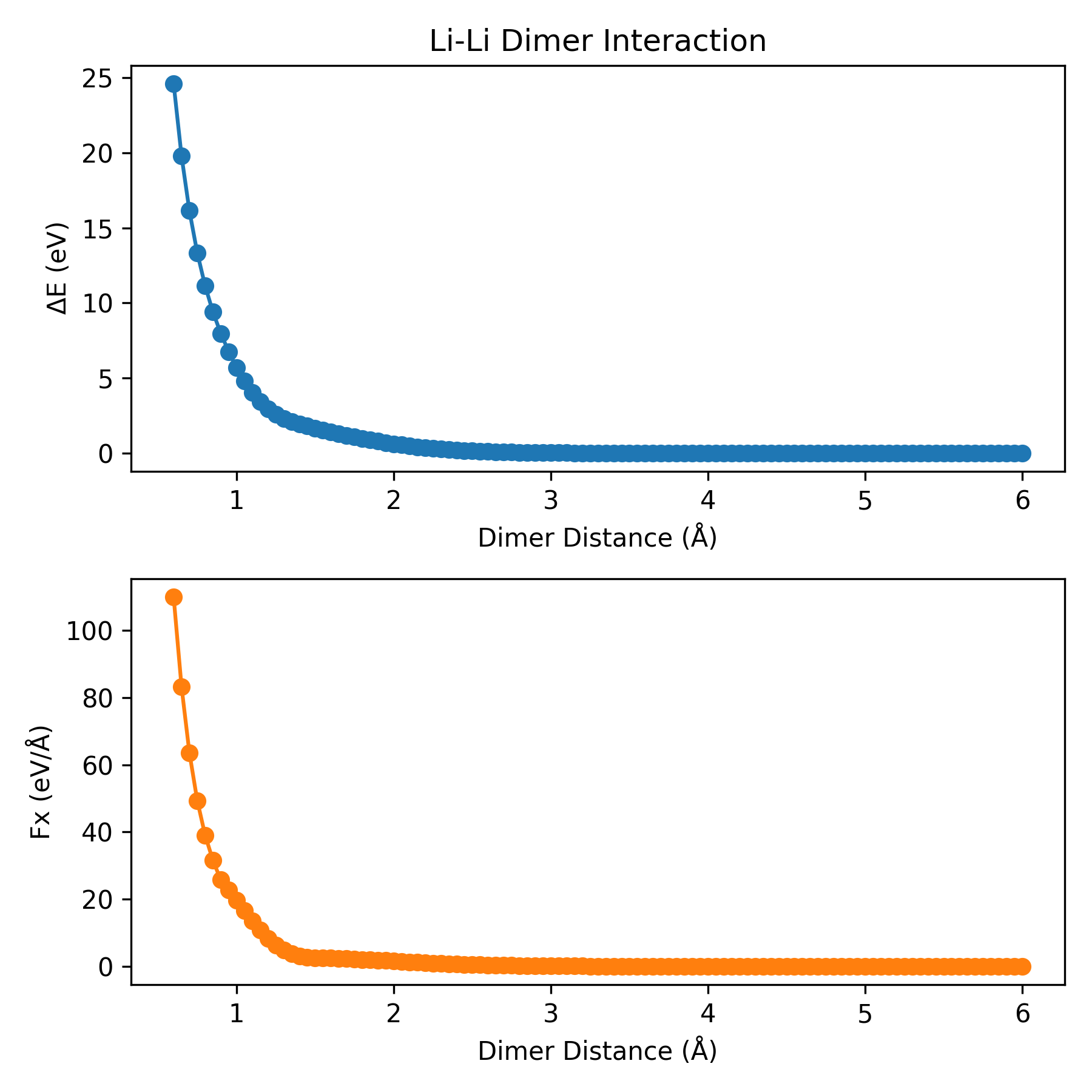
gpumdkit.sh -plt dimer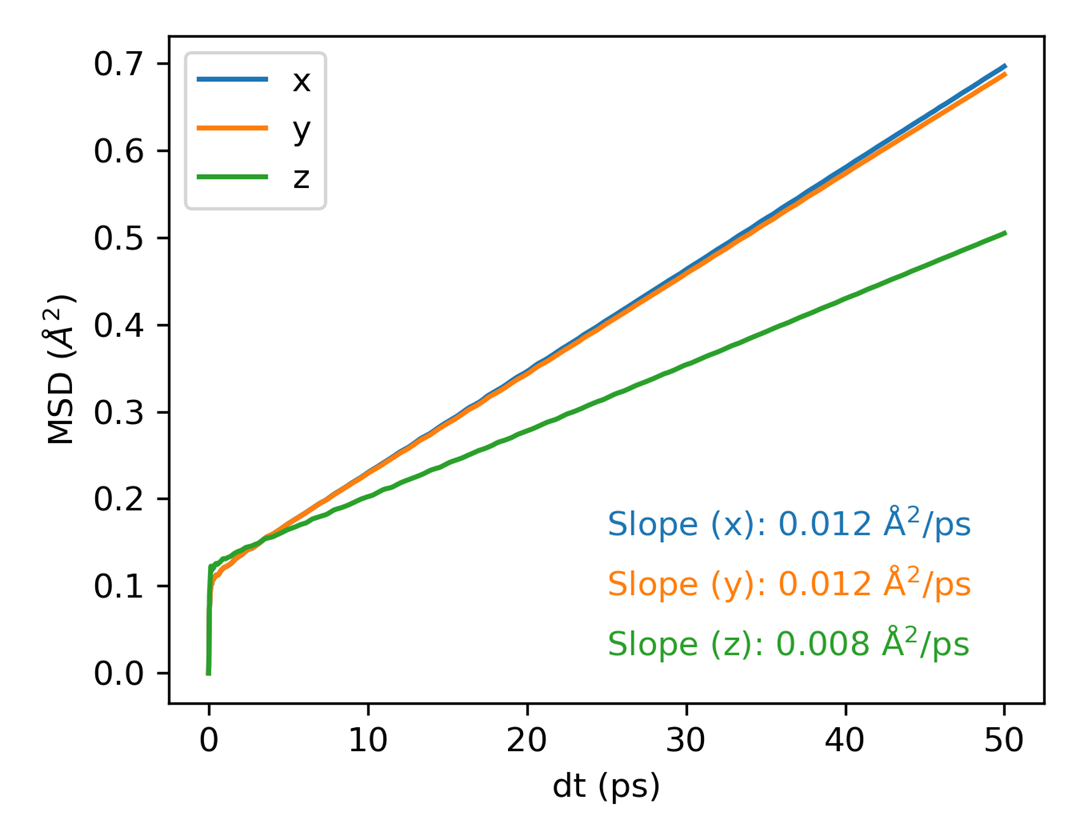
gpumdkit.sh -plt msd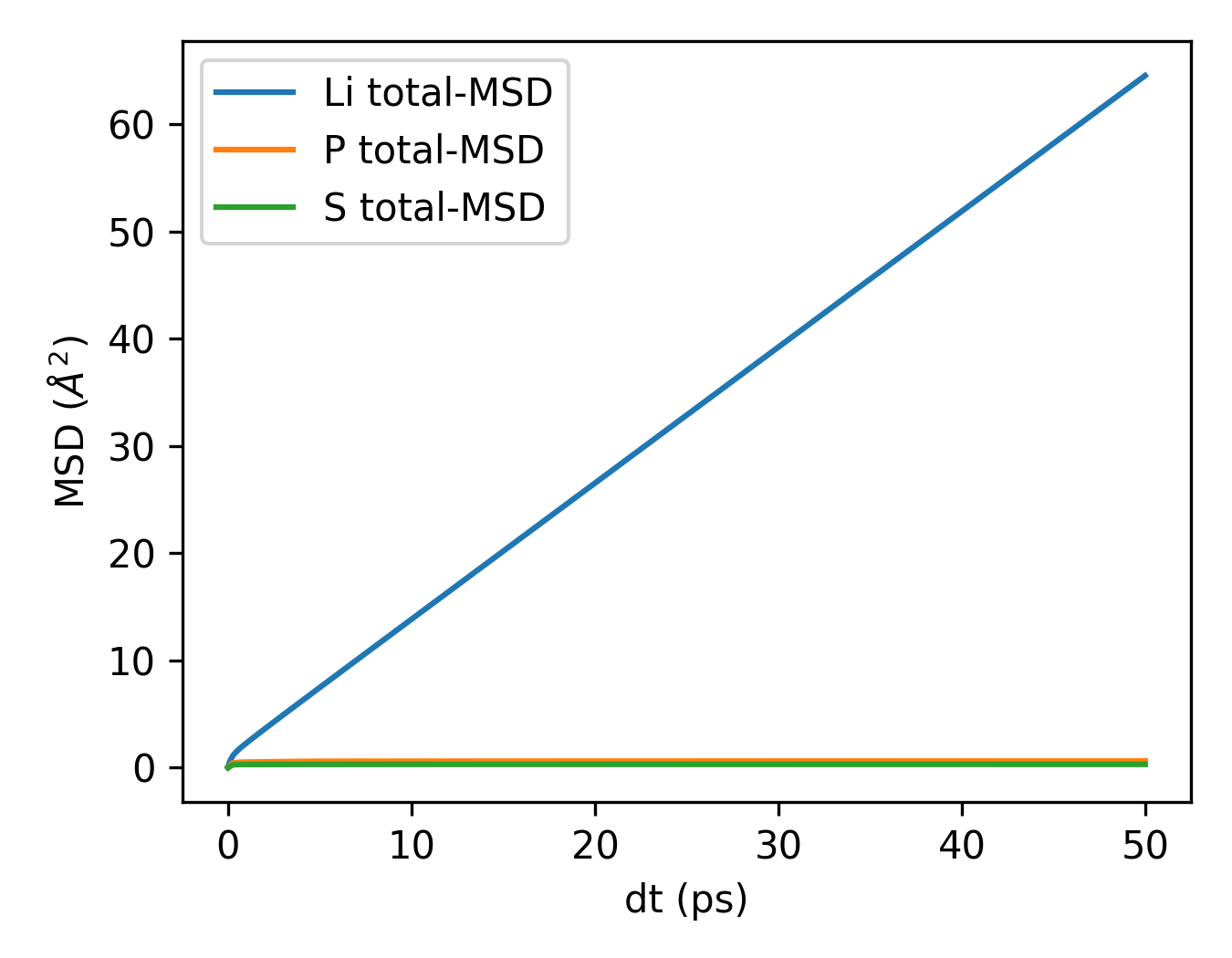
gpumdkit.sh -plt msd_all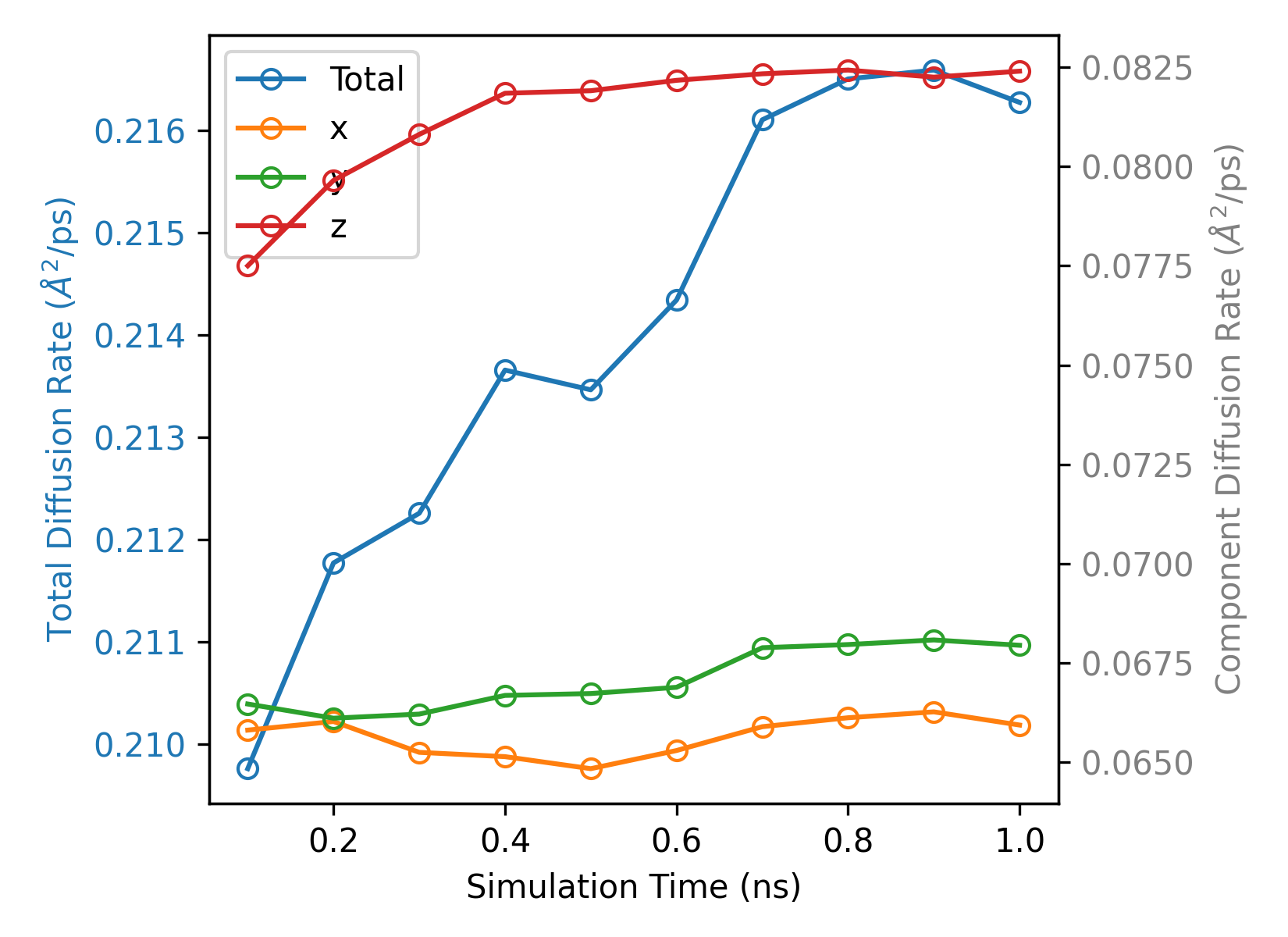
gpumdkit.sh -plt msd_conv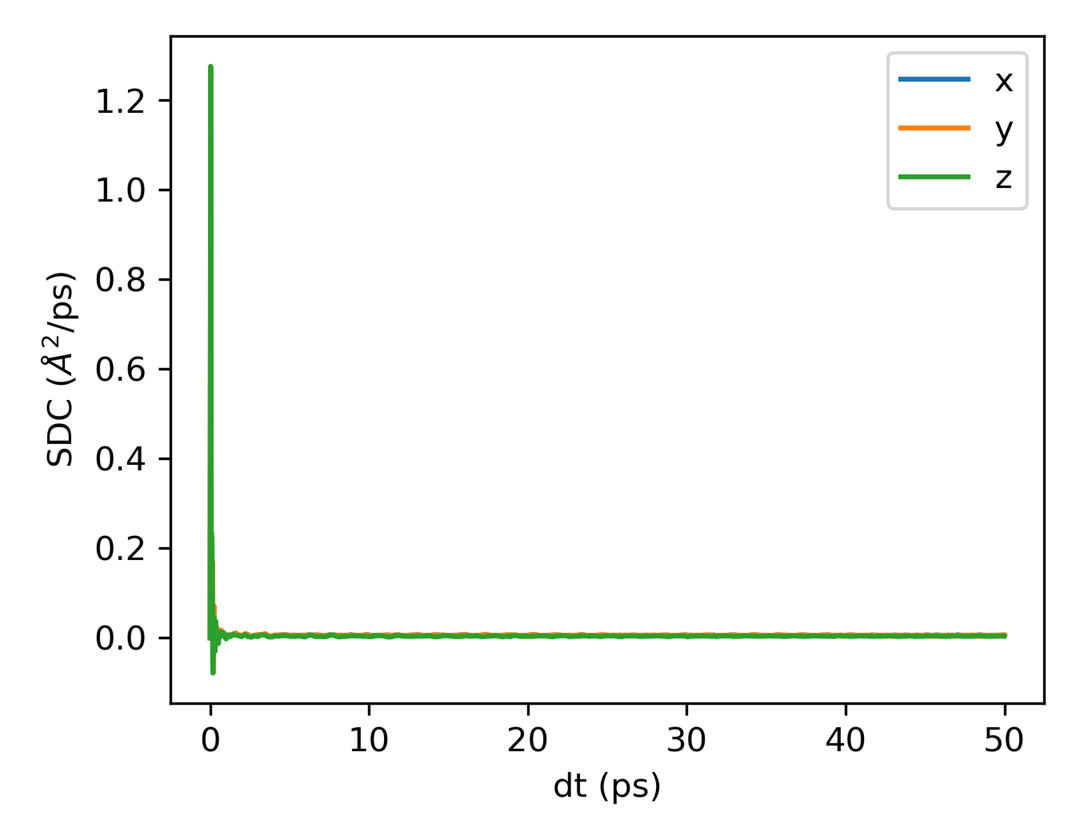
gpumdkit.sh -plt sdc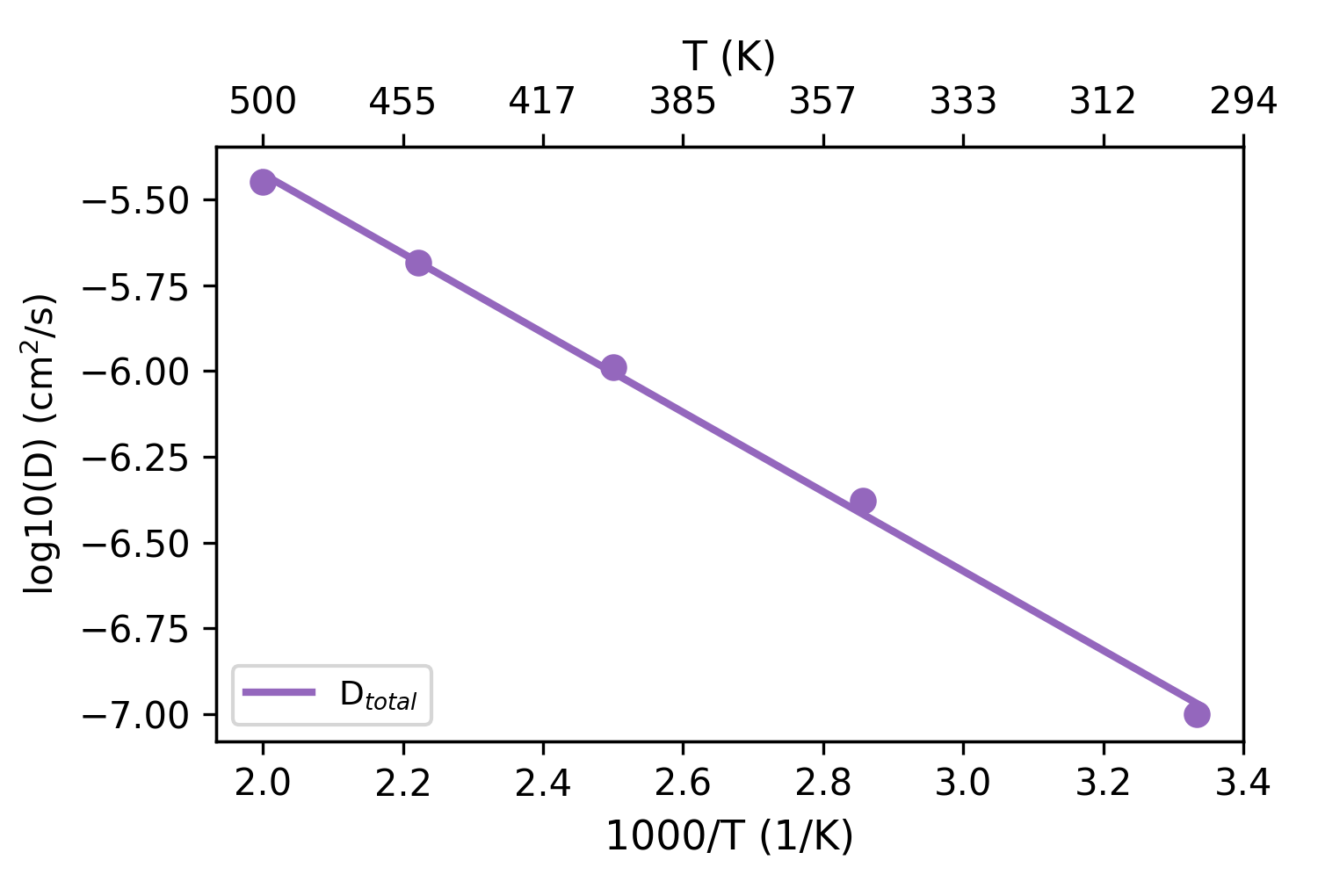
gpumdkit.sh -plt D/sigma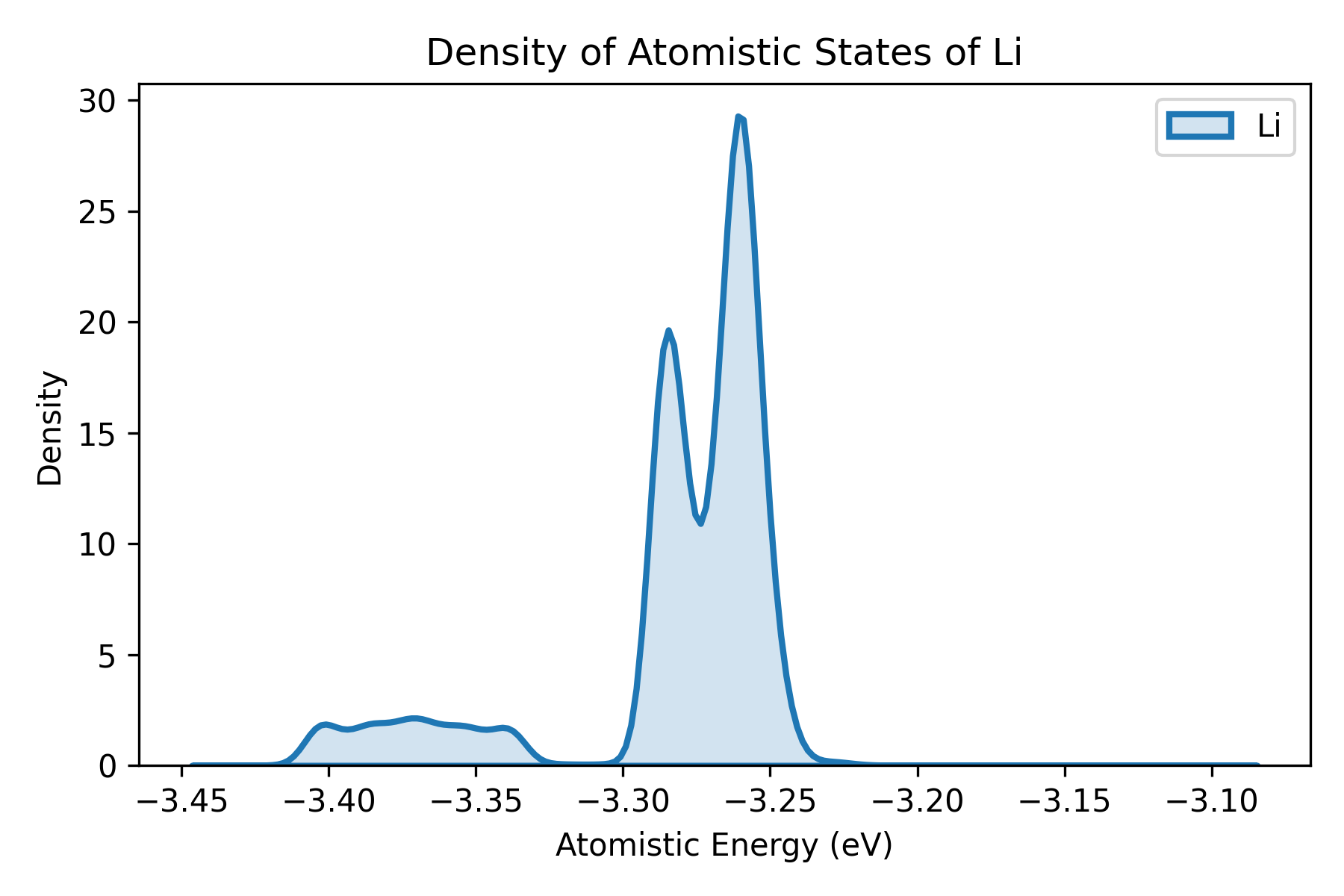
gpumdkit.sh -plt doas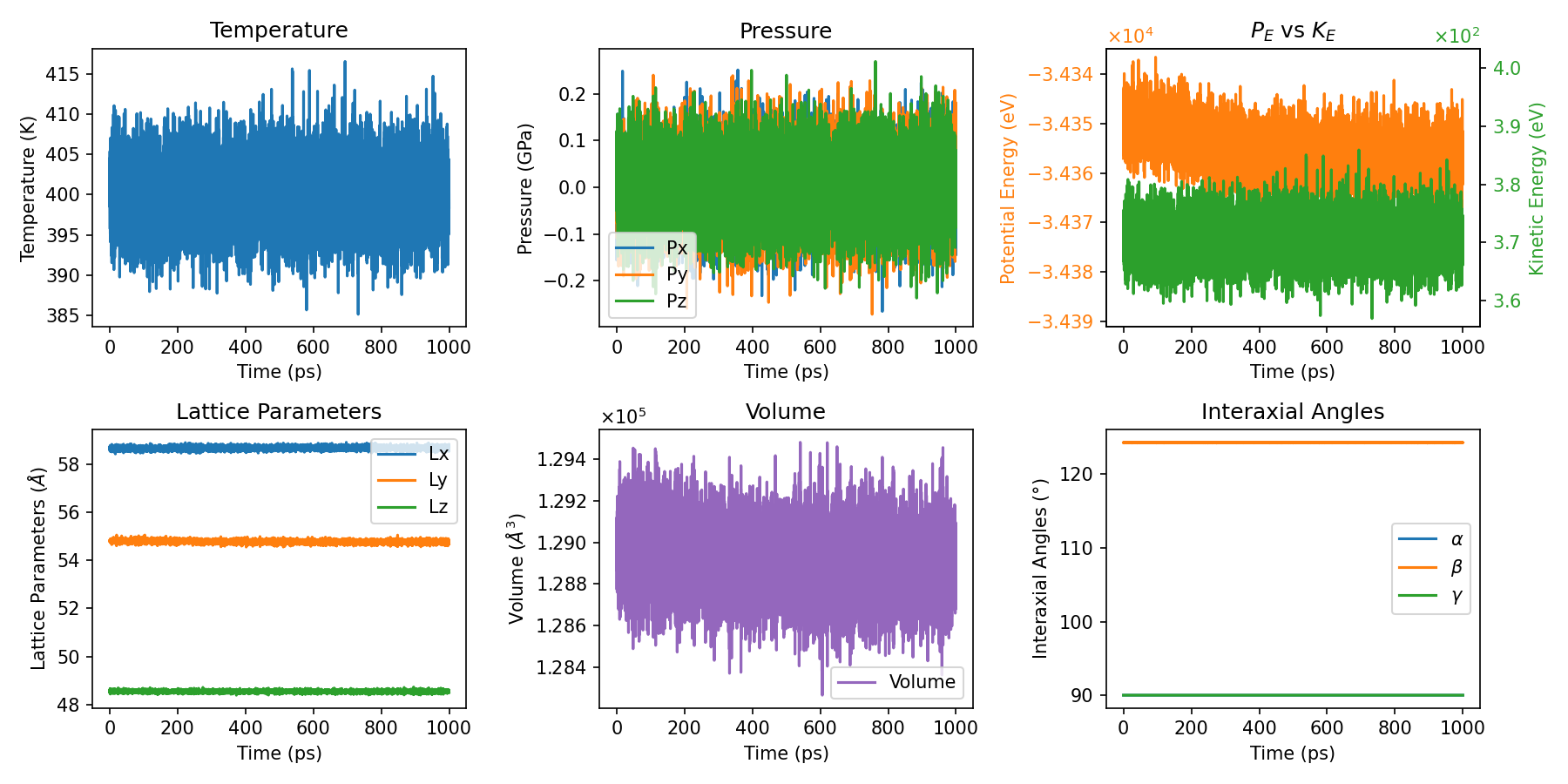
gpumdkit.sh -plt thermo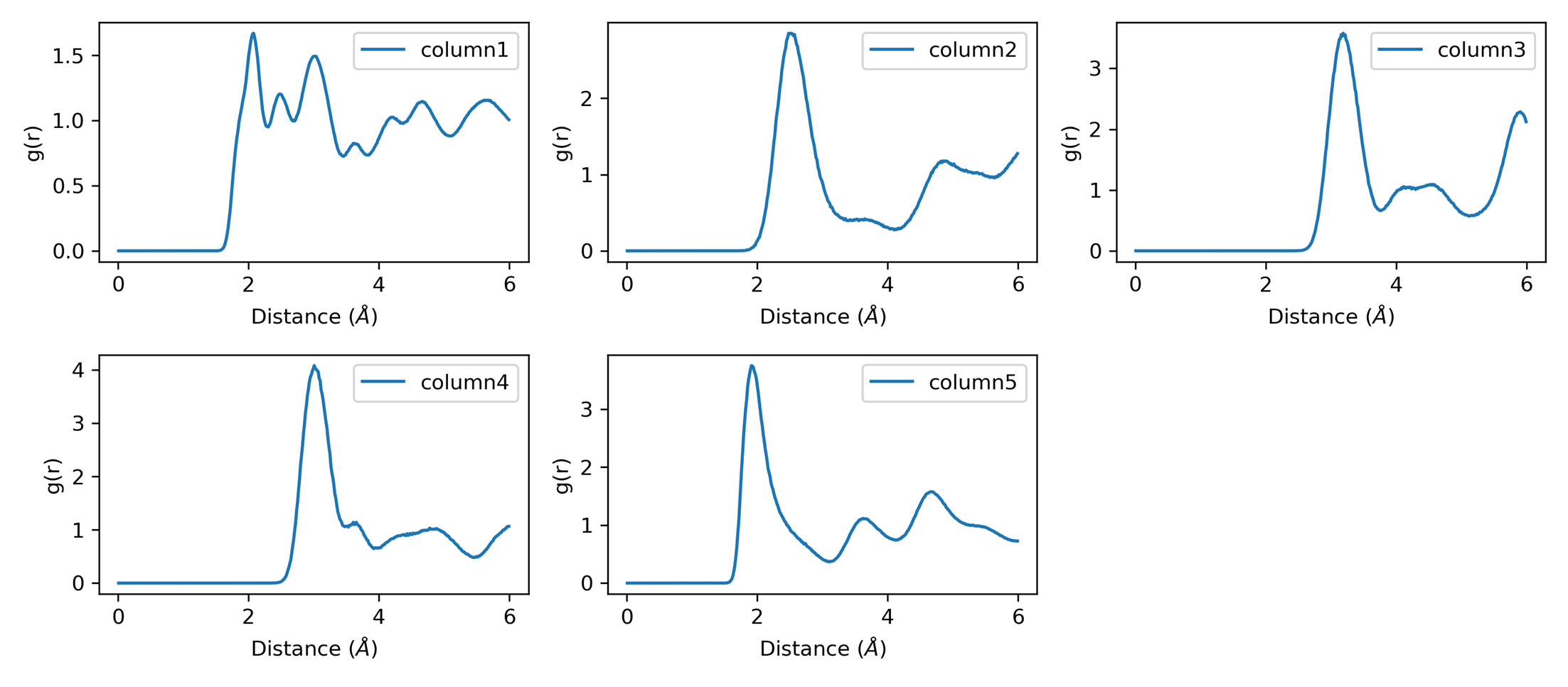
gpumdkit.sh -plt rdf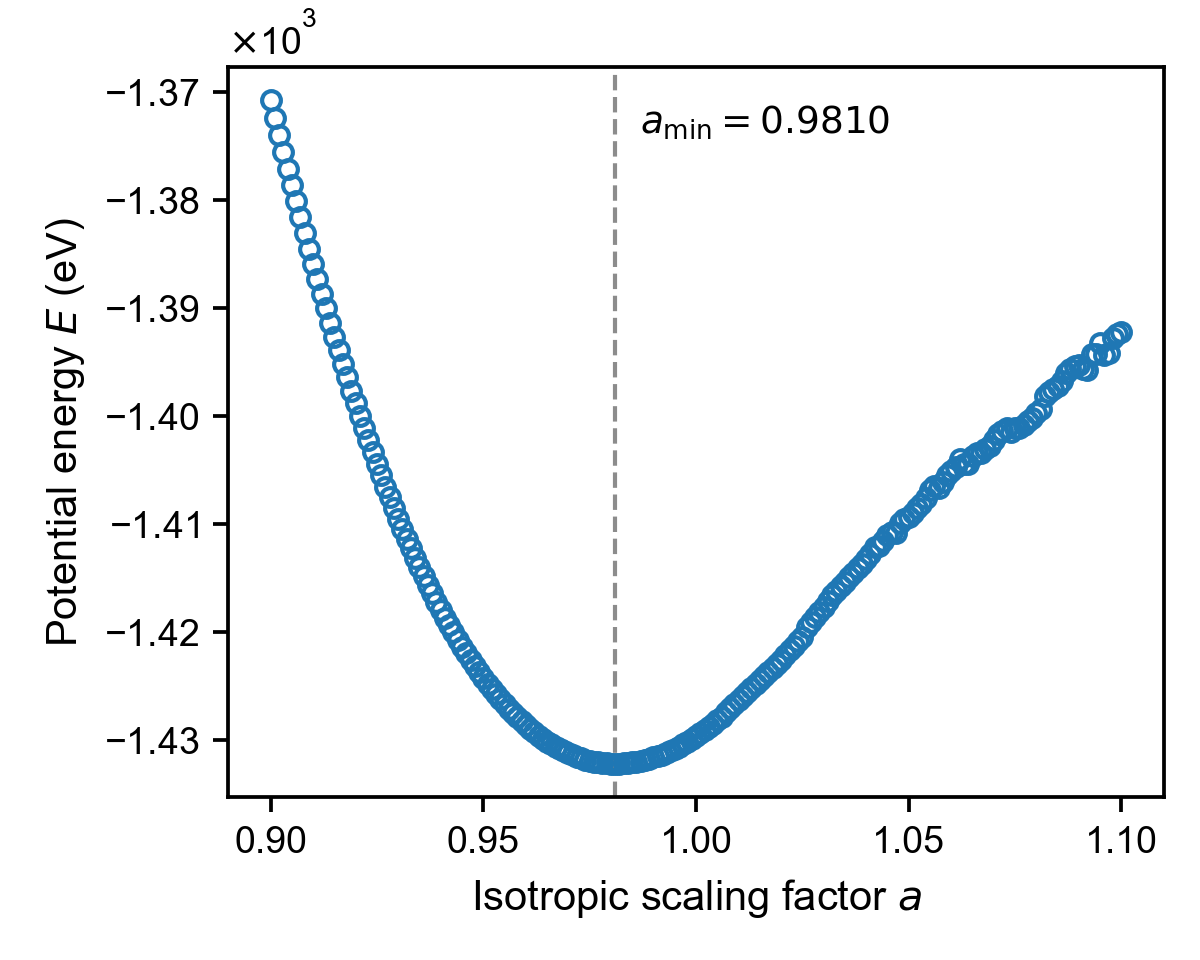
gpumdkit.sh -plt cohesive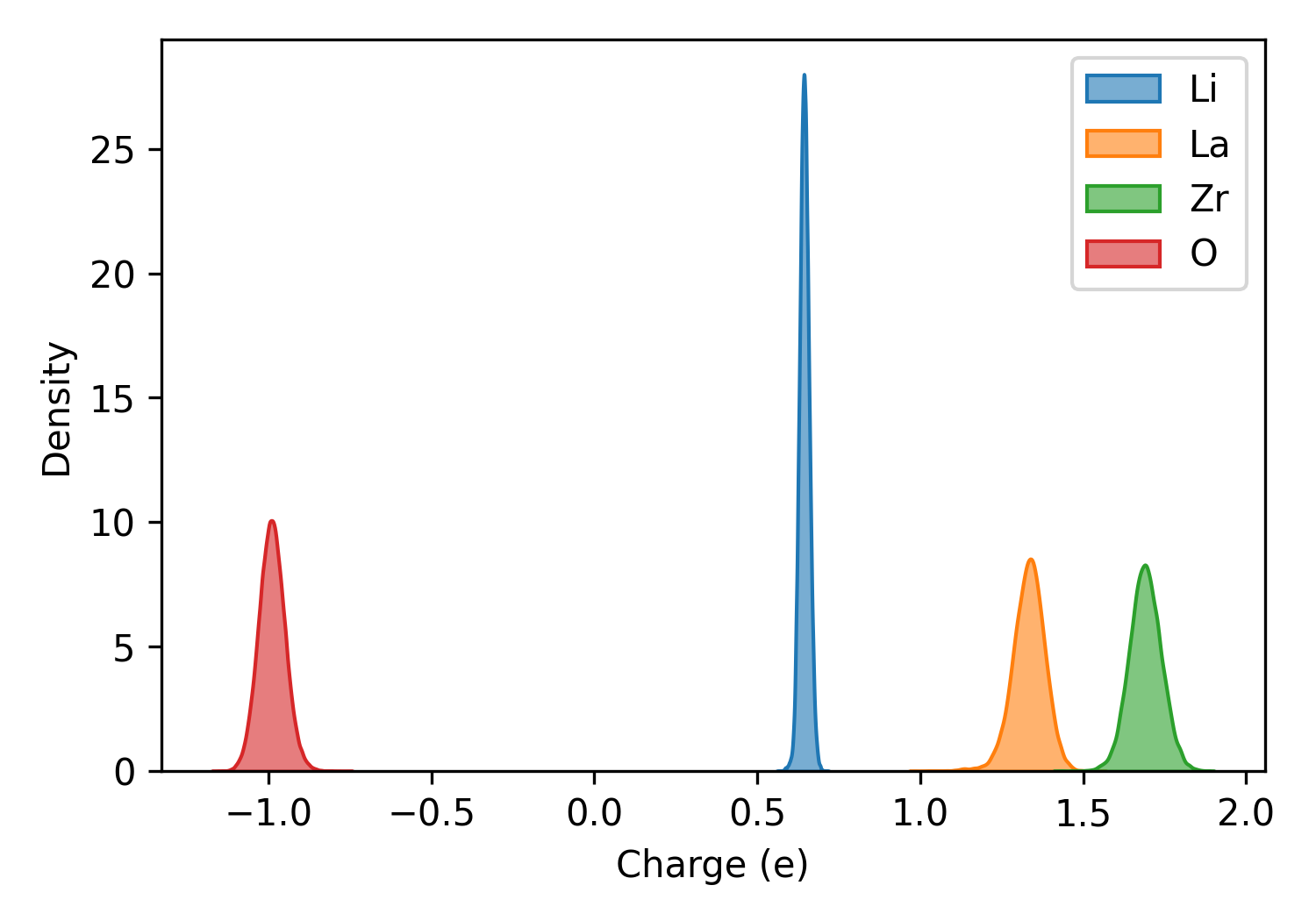
gpumdkit.sh -plt charge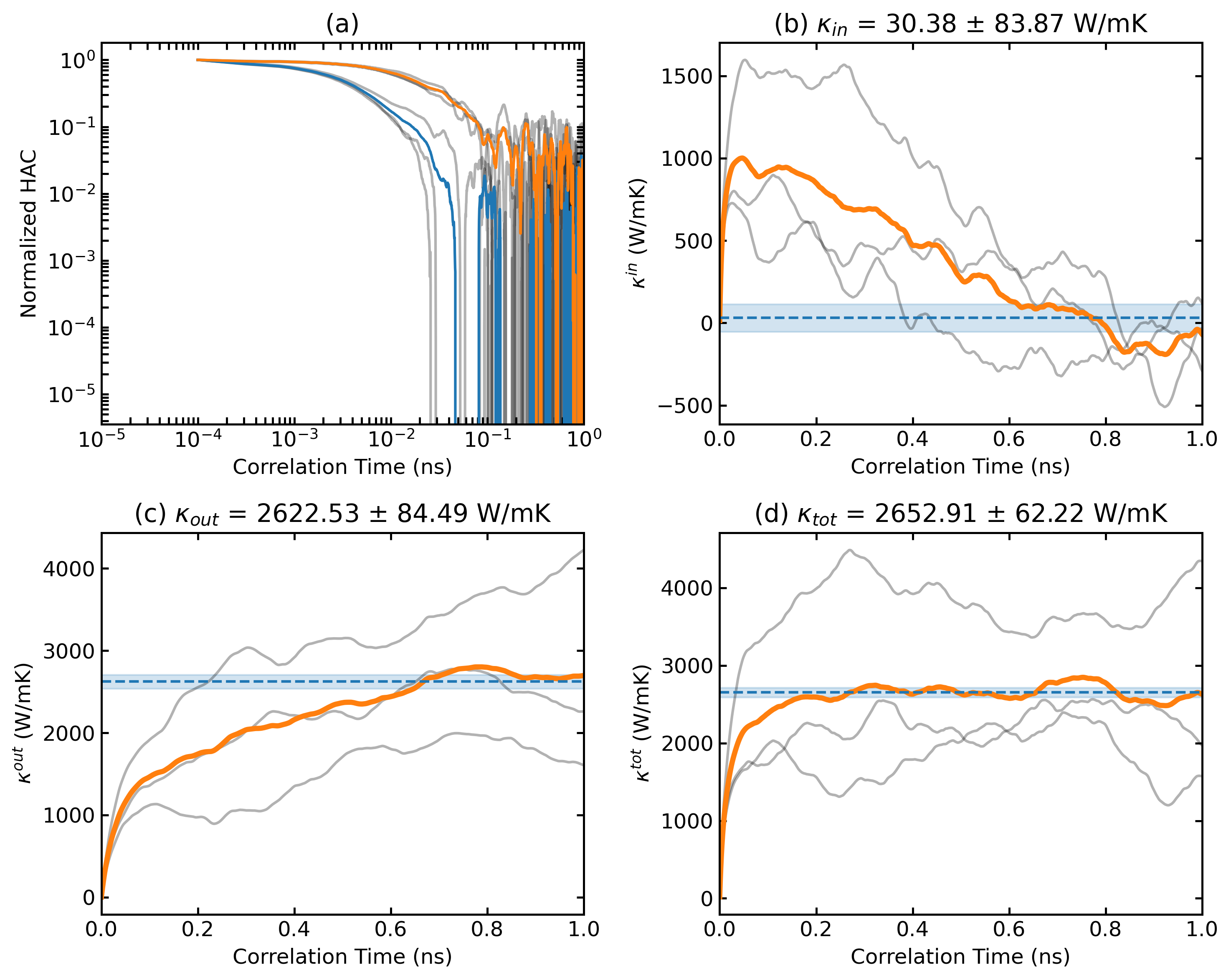
gpumdkit.sh -plt emd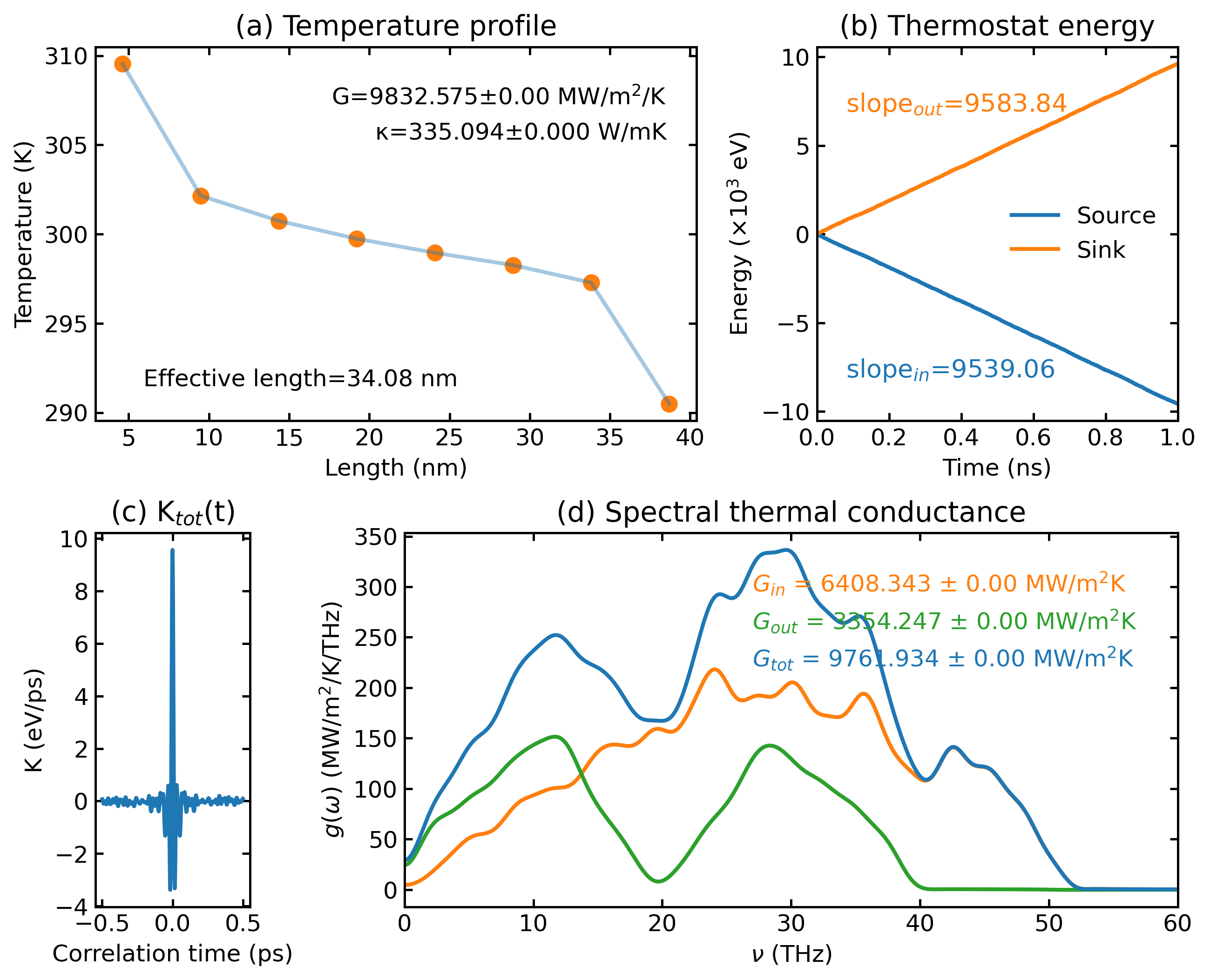
gpumdkit.sh -plt nemd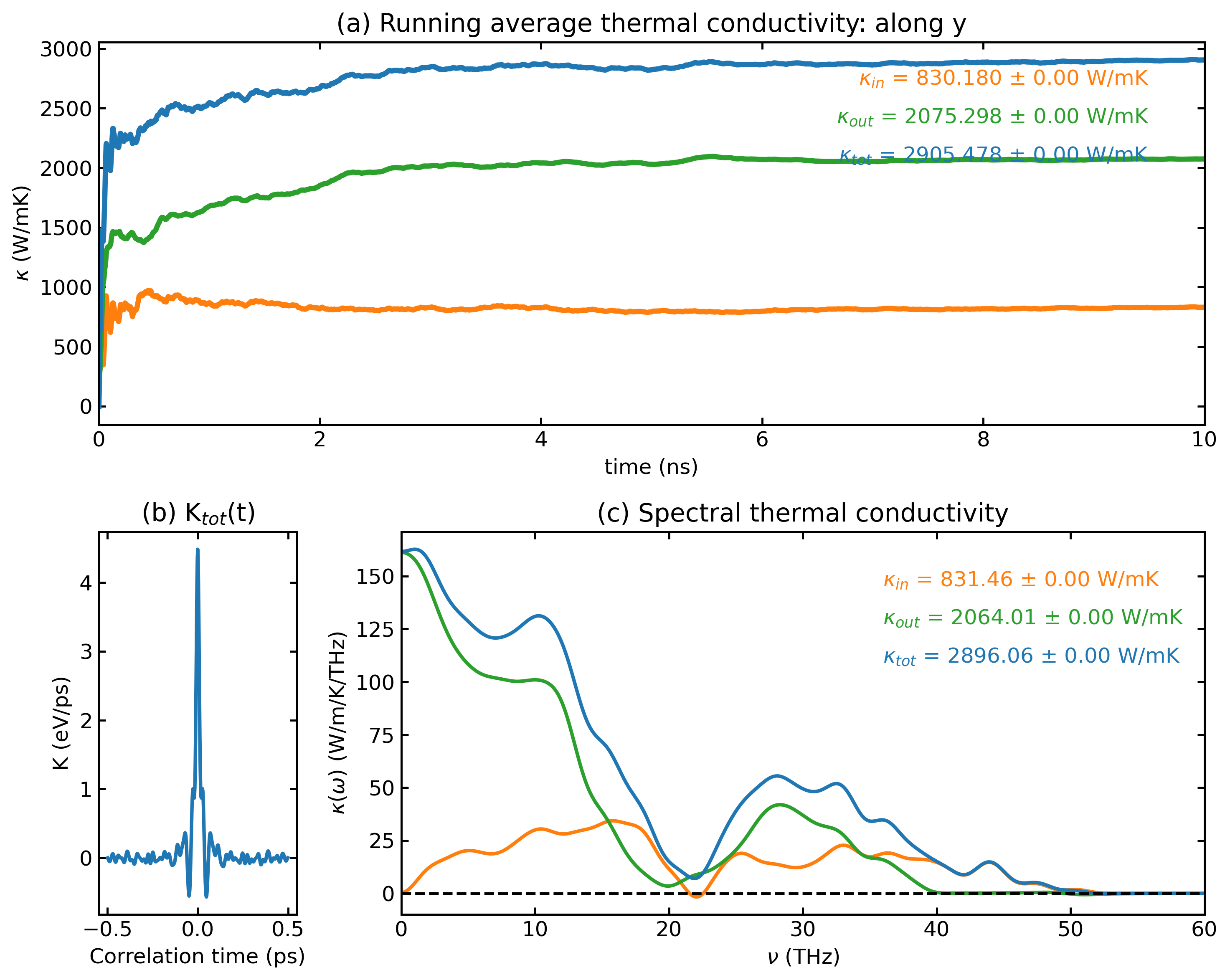
gpumdkit.sh -plt hnemd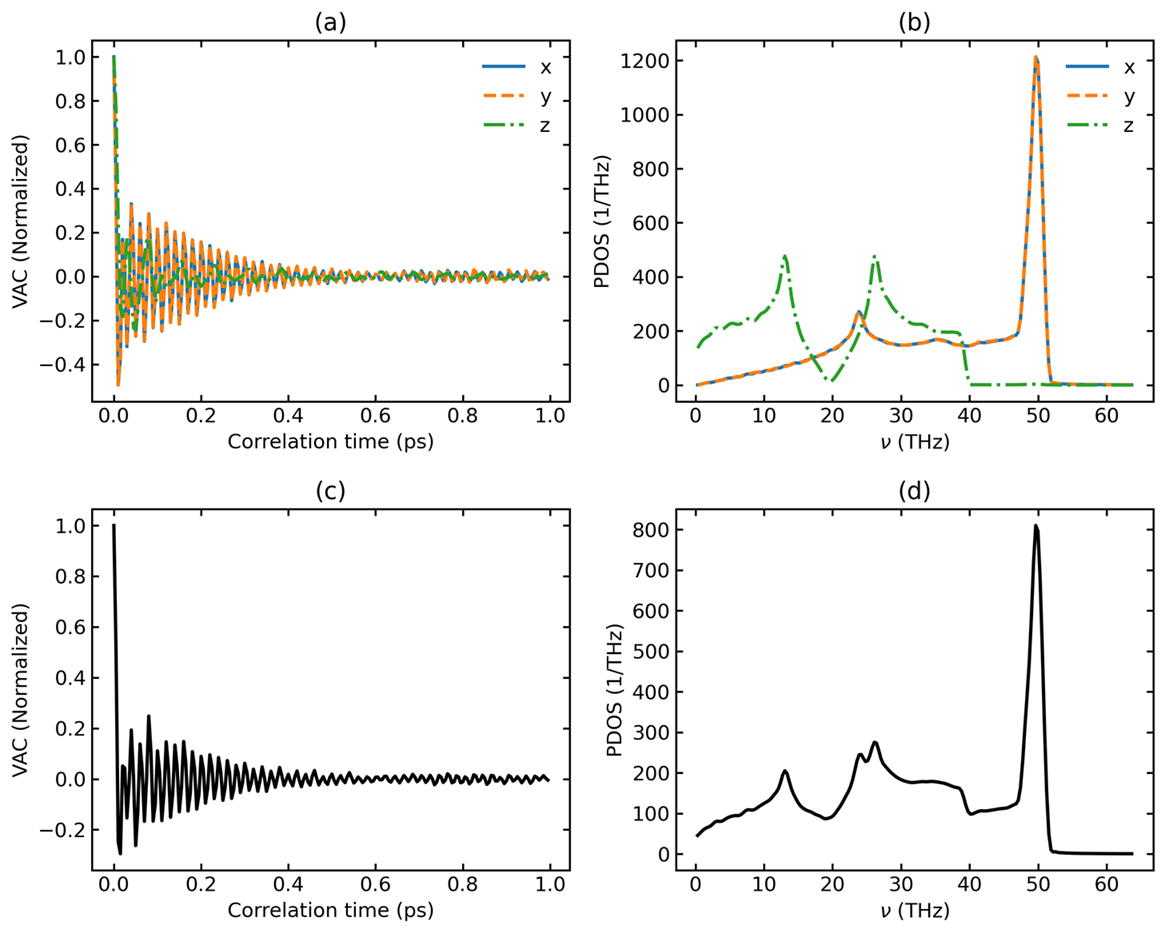
gpumdkit.sh -plt pdosClick a figure to enlarge it and copy the command. More examples are in the gallery.
点击图片可放大并复制对应命令。更多示例见图库。
| Group类别 | Types类型 |
|---|---|
| NEP trainingNEP 训练 | train prediction train_test parity_density train_density restart charge born_charge dimer force_errors des net_force |
| Diffusion & transport扩散与输运 | msd msd_conv msd_all sdc msd_sdc sigma D sigma_PT D_PT sigma_xyz D_xyz doas |
| MD & structureMD 与结构 | thermo thermo2 rdf xrd xrd_comp rdf_pmf vac cohesive plane-grid |
| Heat transport热输运 | emd emd2 nemd hnemd viscosity |
| Phonons声子 | pdos phonon phonon_comp |
Remote web console远程网页控制台
Watch training and MD runs, and make figures, from your own browser.
在自己的浏览器里查看训练与 MD 运行,并一键出图。
gpumdkit.sh -server starts a browser-based console rooted at the directory you launched it from. The browser shows files that stay on the remote machine, so you can inspect runs, trigger plots and do small file operations without copying the whole project.
gpumdkit.sh -server 会以启动时所在的目录为根,开启一个基于浏览器的控制台。浏览器显示的文件始终留在远程机器上,因此无需拷贝整个项目,就能查看计算、触发绘图并做简单的文件操作。
Connect in three steps三步连接
Start the server on the remote host在远程主机上启动服务
ssh <user>@<host>
conda activate gpumdkit
cd /path/to/working-directory
gpumdkit.sh -server
Open an SSH tunnel from your workstation在本地工作站建立 SSH 隧道
ssh -N -L 8888:127.0.0.1:8888 <user>@<host>Open it in your local browser在本地浏览器中打开
http://127.0.0.1:8888If port 8888 is busy locally, forward another one (-L 8890:127.0.0.1:8888, then open port 8890). If it is busy on the remote host, start the server on another port (gpumdkit.sh -server 9000) and forward that one.
如果本地 8888 端口被占用,可转发到其他端口(-L 8890:127.0.0.1:8888,然后访问 8890)。如果远程 8888 被占用,则用其他端口启动服务(gpumdkit.sh -server 9000)并转发该端口。
A tour of the interface界面导览
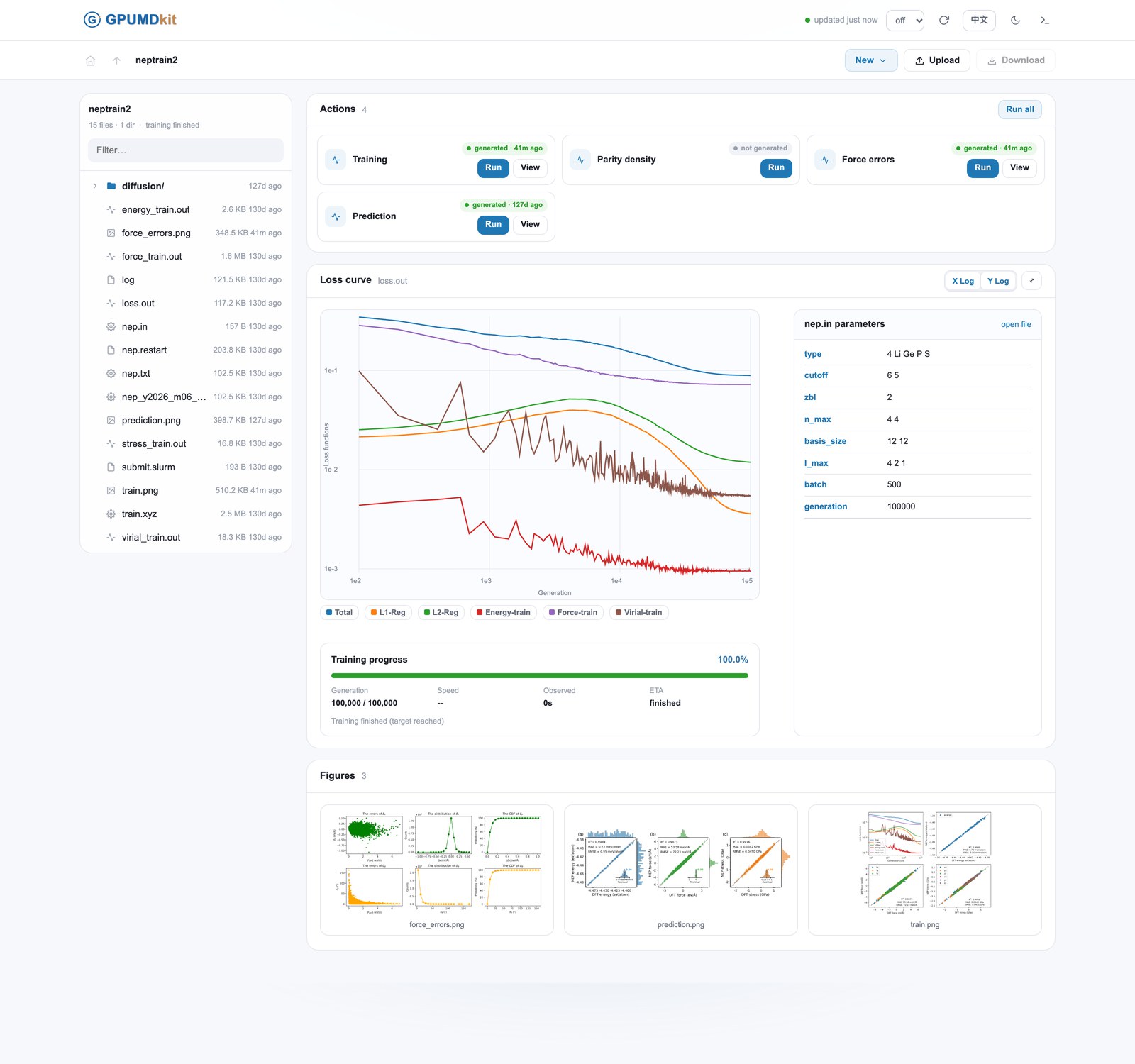
A NEP training folder. Hover a number or an entry; click the image to enlarge.
一个 NEP 训练目录。悬停编号或条目可高亮对应区域,点击图片可放大。
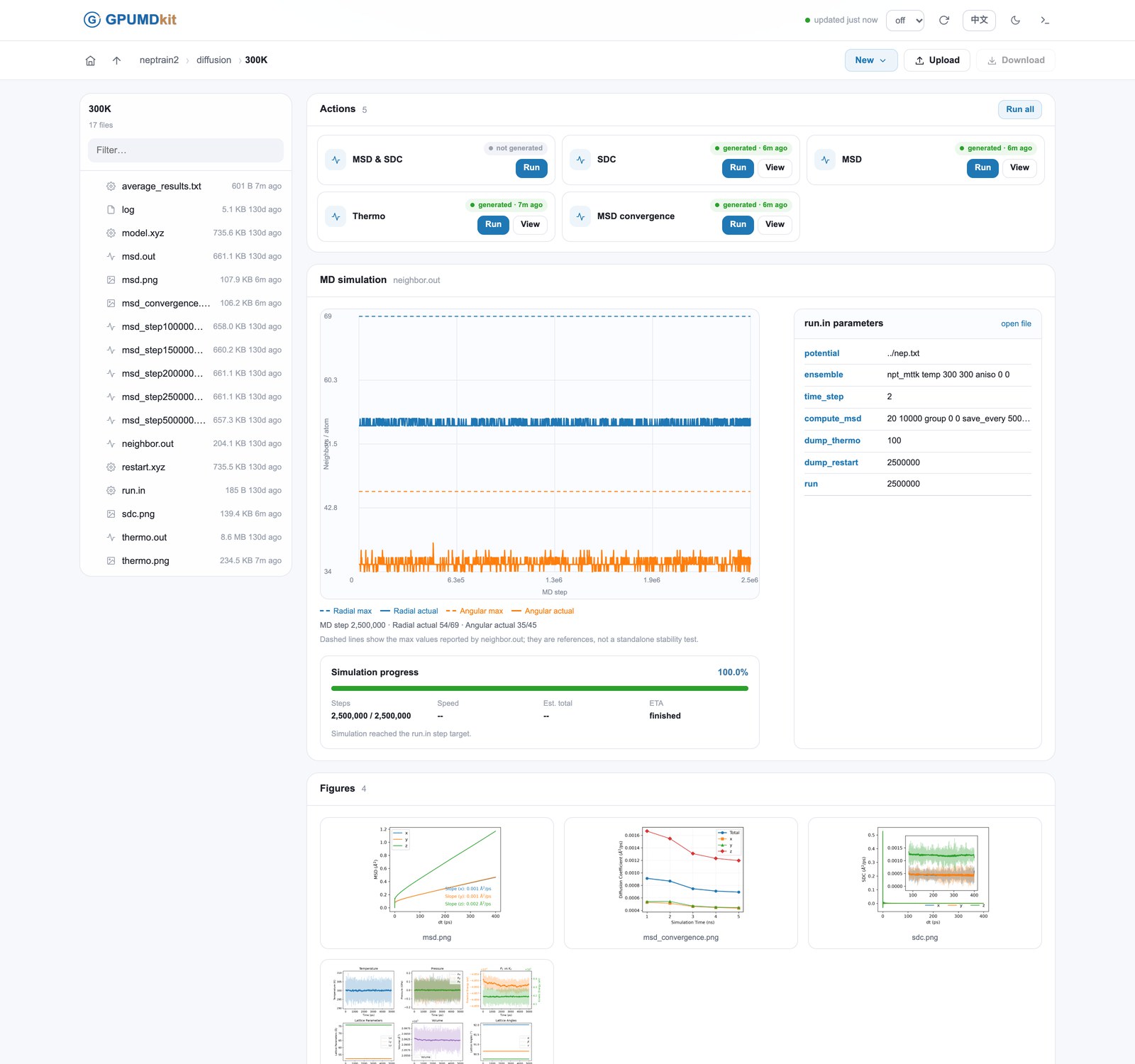
A GPUMD run folder. Click the image to enlarge.
一个 GPUMD 运行目录。点击图片可放大。
Server options and safety服务选项与安全
gpumdkit.sh -server [port] [-b <address>] [-pw <password>]
gpumdkit.sh -server -h| Option选项 | Default默认值 | Meaning含义 |
|---|---|---|
port | 8888 | Port of the web serverWeb 服务端口 |
-b <address> | 127.0.0.1 | Network address to listen on监听的网络地址 |
-pw <password> | optional on loopback回环地址下可选 | Login password; required for any other address登录密码;监听其他地址时必须设置 |
0.0.0.0 requires a password and the server does not use HTTPS. The terminal drawer is not restricted to the browsing root. Keep passwords out of shared scripts and shell history.0.0.0.0 等其他地址时必须设置密码,且服务不使用 HTTPS。终端抽屉不受浏览根目录限制。请勿把密码写进共享脚本或 shell 历史。| Symptom现象 | Check排查 |
|---|---|
| Browser cannot connect浏览器无法连接 | Both the remote server and the local tunnel must still be running, with matching ports.远程服务和本地隧道必须仍在运行,且端口一致。 |
| The wrong files appear显示的文件不对 | The root is the directory where -server started. Restart it from the intended directory.根目录就是启动 -server 的目录,请在目标目录中重新启动。 |
| Plot actions fail绘图操作失败 | Start the server from the environment that has GPUMDkit and the plot dependencies.请在装有 GPUMDkit 及绘图依赖的环境中启动服务。 |
| Progress does not change进度不变 | It only changes when the output files receive new records; it is not a scheduler monitor.只有输出文件写入新记录时才会变化,它并非作业调度监控。 |
Recipes实战流程
Typical sequences, from raw output to a result you can use.
从原始输出到可用结果的典型命令序列。
Three end-to-end examples. Steps marked you run it use other software; GPUMDkit prepares around them.
三个端到端示例。标有 由你运行 的步骤使用其他软件,GPUMDkit 负责前后衔接。
Convert the finished calculations转换已完成的计算
gpumdkit.sh -out2xyz <scf_results_directory> # writes NEPdataset/train.xyzCheck energies and forces检查能量与力
gpumdkit.sh -range NEPdataset/train.xyz energy
gpumdkit.sh -range NEPdataset/train.xyz force
Check distances and composition检查间距与成分
gpumdkit.sh -min_dist_pbc NEPdataset/train.xyz
gpumdkit.sh -analyze_comp NEPdataset/train.xyz
Optional: split into training and test sets可选:划分训练集与测试集
gpumdkit.sh # 2) Sample Structures -> 206Prepare MD sampling directories准备 MD 采样目录
gpumdkit.sh # 3) Workflow -> 302Run GPUMD in each directory在每个目录中运行 GPUMD
Filter the trajectory过滤轨迹
gpumdkit.sh -min_dist_pbc dump.xyz
gpumdkit.sh -filter_dist_pbc dump.xyz <minimum_distance>
Select diverse structures (FPS)用 FPS 挑选多样性结构
gpumdkit.sh # 2) Sample Structures -> 203Prepare DFT single points准备 DFT 单点计算
gpumdkit.sh # 3) Workflow -> 301 -> VASP or CP2KRun DFT with your own settings用你自己的参数运行 DFT
Convert and check the new labels转换并检查新标签
gpumdkit.sh -out2xyz <scf_results_directory>
gpumdkit.sh -range <new_reference.xyz> force
Merge the data and retrain the NEP合并数据并重新训练 NEP
Inspect the new model查看新模型
gpumdkit.sh -plt train
gpumdkit.sh -plt prediction
Run GPUMD with compute_msd运行带 compute_msd 的 GPUMD
Look at the MSD查看 MSD
gpumdkit.sh -plt msdCheck convergence (needs save_every in compute_msd)检查收敛性(compute_msd 需设置 save_every)
gpumdkit.sh -plt msd_convEstimate the ionic conductivity估算离子电导率
gpumdkit.sh -calc ionic-cond <element> <charge>Repeat at several temperatures在多个温度下重复
Plot the Arrhenius fit绘制 Arrhenius 拟合
gpumdkit.sh -plt D/sigma # see the plot pages for the input layoutCommand reference命令参考
Look up any option in a second.
几秒钟内查到任意选项。
Every command from command_reference.tsv, plus all plot types. Click a command to copy it.
收录 command_reference.tsv 中的全部命令及所有绘图类型。点击命令即可复制。
| Command命令 | Description说明 | Group分组 |
|---|---|---|
| … | ||
Help and more帮助与更多
Extras, troubleshooting, and where to ask.
更多小工具、问题排查,以及求助渠道。
Handy extras实用小功能
Progress monitor进度监控
Follow the progress of a GPUMD, NEP, WPE or GNEP run.
跟踪 GPUMD、NEP、WPE 或 GNEP 的运行进度。
gpumdkit.sh -time gpumdAgent skillsAgent 技能
Show where the English and Chinese agent skills are and how to install them for your coding agent.
显示中英文 Agent 技能的位置,以及如何安装到你的编程助手。
gpumdkit.sh -skillTidy up清理目录
Clean extra files in the current directory.
清理当前目录中的冗余文件。
gpumdkit.sh -cleanUpdate更新
Update GPUMDkit from GitHub.
从 GitHub 更新 GPUMDkit。
gpumdkit.sh -updateEdit a NEP model修改 NEP 模型
Safely modify and export a NEP4 model package.
安全地修改并导出 NEP4 模型包。
gpumdkit.sh -nep_modifier [nep.txt]Custom commands自定义命令
Define a Bash function custom_<name> and run it as gpumdkit.sh -<name>. Built-in options take precedence.
定义 Bash 函数 custom_<name>,即可用 gpumdkit.sh -<name> 运行。内置选项优先。
Troubleshooting常见问题
gpumdkit.sh is not found.提示找不到 gpumdkit.sh。
Activate the Conda environment (conda activate gpumdkit). For a source install, open a new shell so the PATH written by install.sh is loaded.
请先激活 Conda 环境(conda activate gpumdkit)。源码安装时,请新开一个 shell,让 install.sh 写入的 PATH 生效。
A package shows MISS in -doctor.-doctor 显示某个包 MISS。
Optional packages are only needed for the features that use them. Install one when a command asks for it, for example pip install neptrain calorine.
可选包只在对应功能中才需要。命令提示缺少时再安装即可,例如 pip install neptrain calorine。
A converter overwrote my file.转换器覆盖了我的文件。
Converters write into the current directory. Work in a fresh directory and keep the source data separate.
转换器会写入当前目录。请在新目录中操作,并把源数据单独保存。
The conductivity looks wrong.电导率结果看起来不对。
Check that element matches the species in msd.out and model.xyz, that the first four columns of msd.out are time and MSD_x/y/z, and that the MSD curve is converged.
请确认 element 与 msd.out、model.xyz 中的物种一致,msd.out 前四列为时间与 MSD_x/y/z,且 MSD 曲线已经收敛。
How do I get help on one option?如何查看某个选项的帮助?
gpumdkit.sh -h lists all options; gpumdkit.sh -plt -h lists plot types; gpumdkit.sh -<option> -h shows the arguments of Python-backed options.
gpumdkit.sh -h 列出全部选项;gpumdkit.sh -plt -h 列出绘图类型;gpumdkit.sh -<option> -h 显示基于 Python 的选项的参数。
Community and citation社区与引用
Questions and bug reports are welcome on GitHub or in the QQ group 825696376. If GPUMDkit helps your work, please cite: GPUMDkit: A User-Friendly Toolkit for GPUMD and NEP, MGE Advances 2026, 4, e70074 (doi:10.1002/mgea.70074).
欢迎在 GitHub 或 QQ 群 825696376 中提问和反馈问题。如果 GPUMDkit 对你的工作有帮助,请引用:GPUMDkit: A User-Friendly Toolkit for GPUMD and NEP,MGE Advances 2026, 4, e70074(doi:10.1002/mgea.70074)。