Thermodynamic Properties
thermo (plt_thermo.py)
Primary script for comprehensive thermodynamic property visualization.
Input File: thermo.out
gpumdkit.sh -plt thermo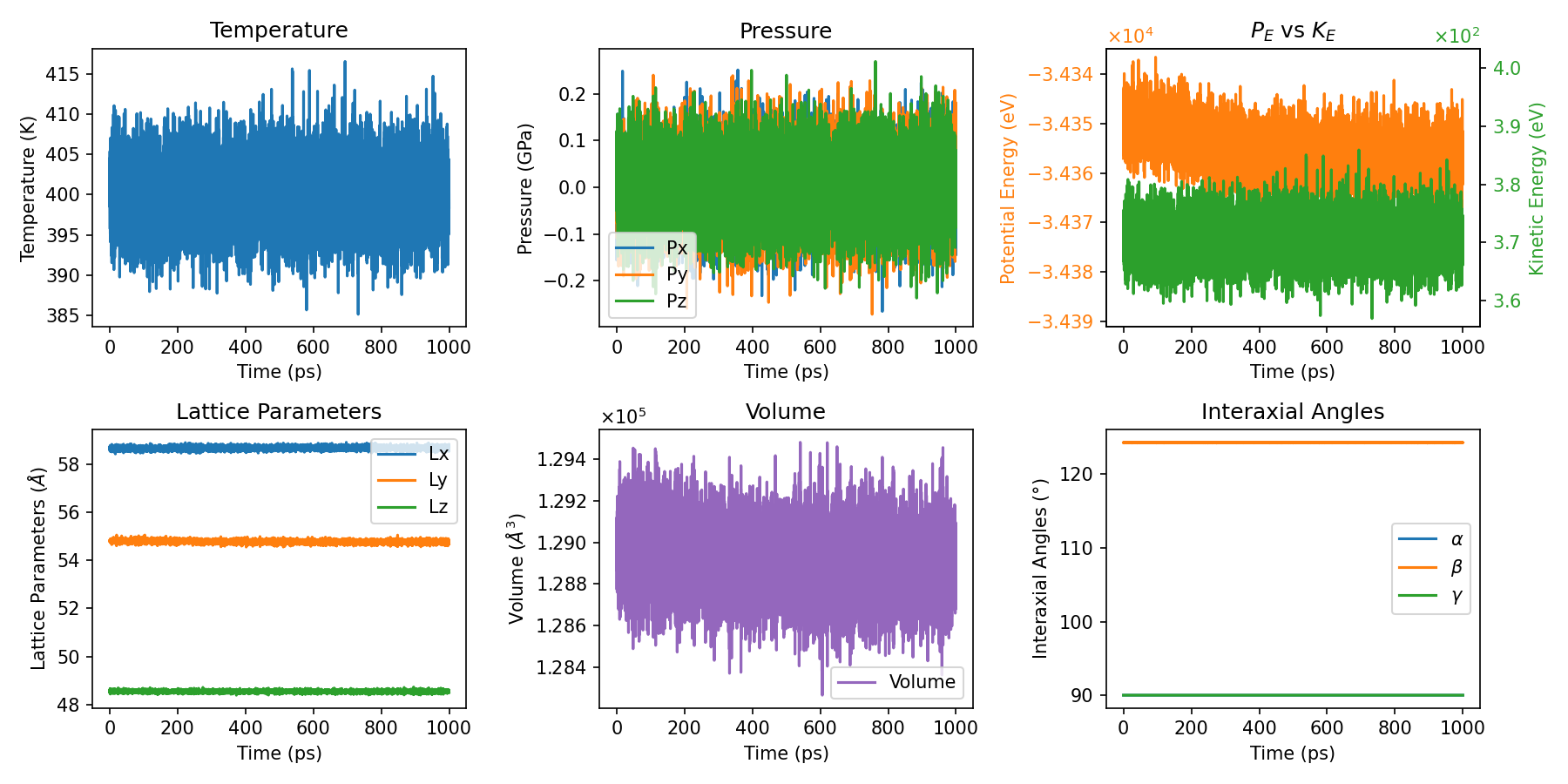
thermo2 (plt_thermo2.py)
The previous default thermodynamic plot, kept as an alternative style.
Input File: thermo.out
gpumdkit.sh -plt thermo2Note:
thermo3has become the defaultthermoplot.gpumdkit.sh -plt thermo3still works for now and prints a reminder, but it will be removed in a future release; usegpumdkit.sh -plt thermoinstead.
Structural Analysis
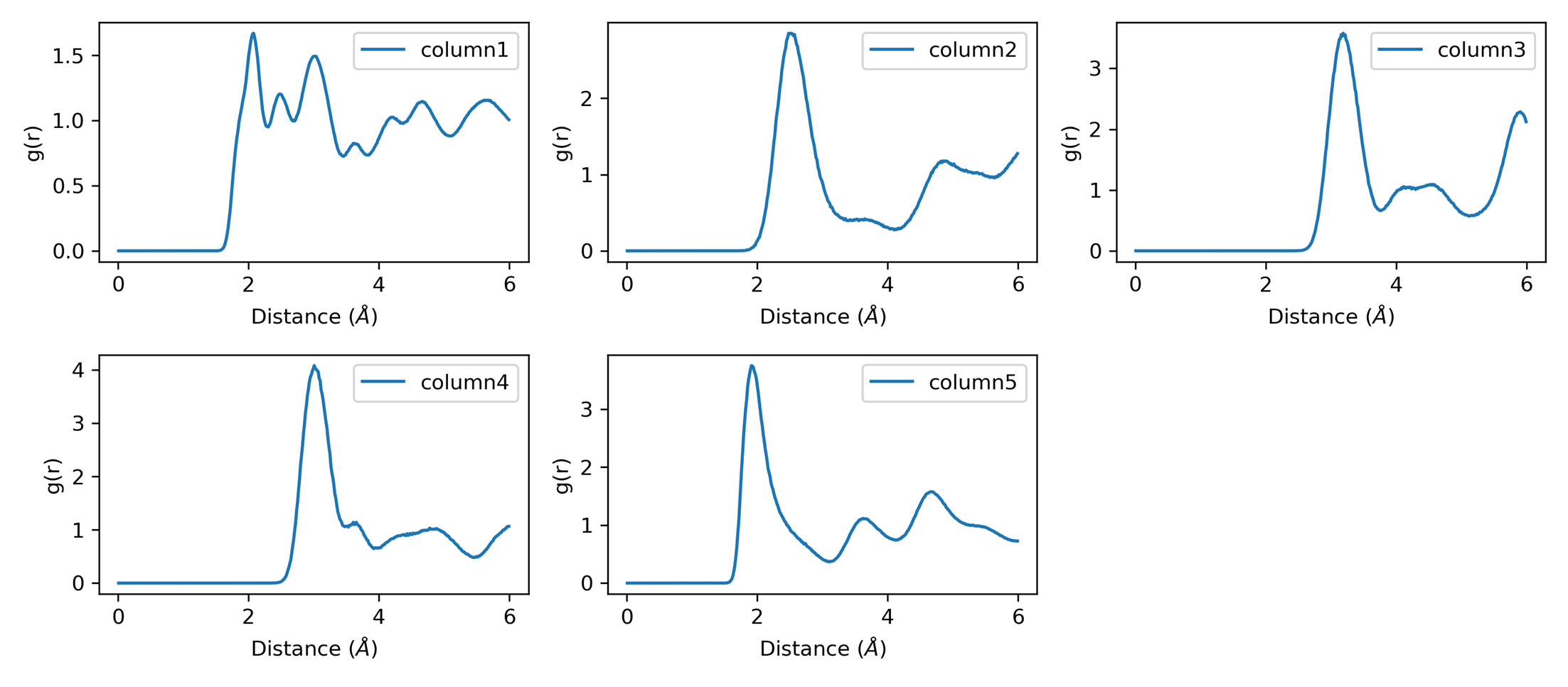
rdf (plt_rdf.py)
Plots all RDF value columns in rdf.out (the radius column is used as the x-axis).
Input File: rdf.out
gpumdkit.sh -plt rdf               # Plot all RDF pairs
gpumdkit.sh -plt rdf save          # Save the figure as rdf.png
The rdf plotter does not select a single column. Use rdf_pmf when a
specific RDF output column is needed for PMF analysis.
RDF output:
xrd (plt_xrd.py)
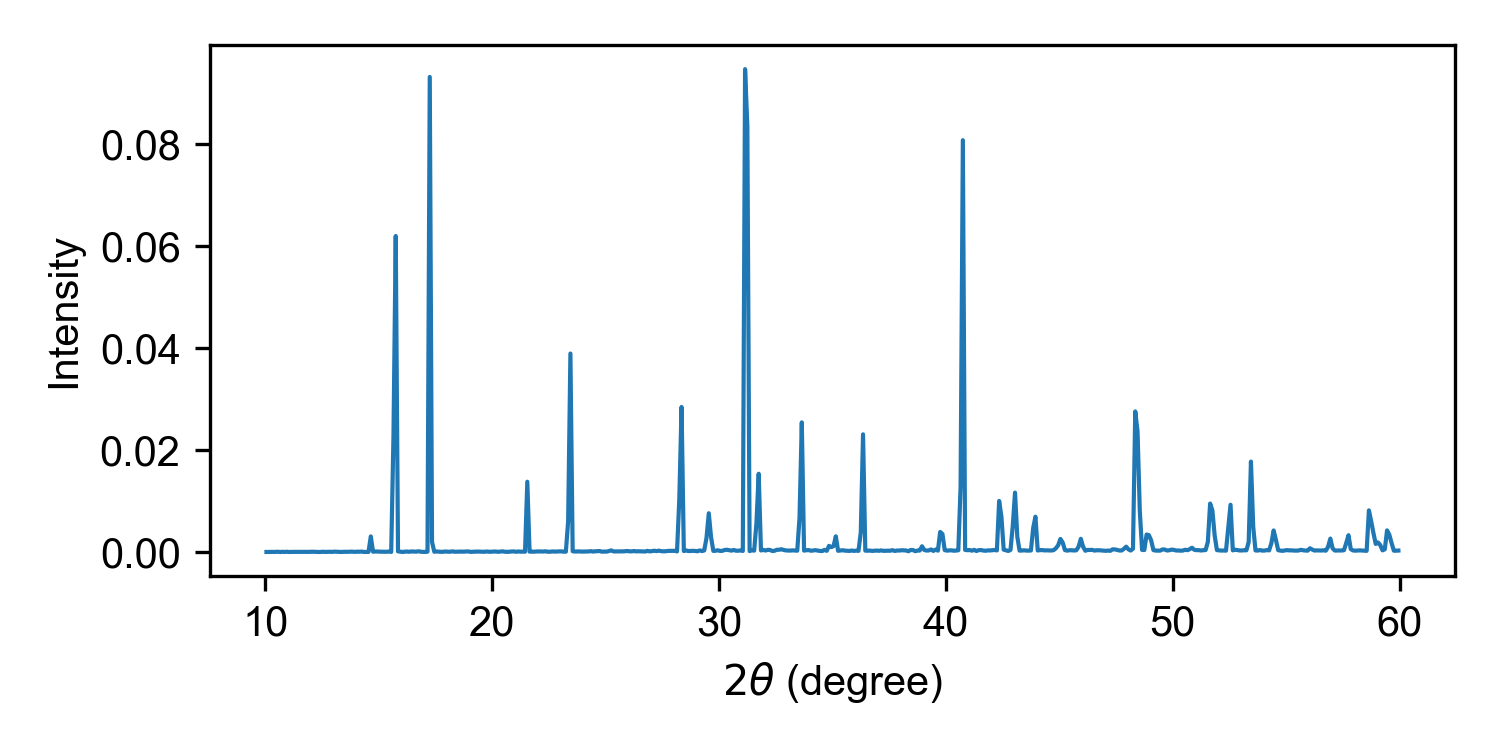
Plots the X-ray diffraction (XRD) output generated by calculator 413.
Input File: xrd.out by default; an alternative XRD output path can be
passed as the first argument.
gpumdkit.sh -plt xrd
gpumdkit.sh -plt xrd path/to/xrd.out save
With save, the figure is written to xrd.png in the current working
directory.
Example:
xrd_comp (plt_xrd_comp.py)
Compares XRD curves from several temperature folders in the current working
directory. Each folder must be named <temperature>K and contain an
xrd.out file written by calculator 413. All curves are drawn in one panel,
shifted along y so that the highest peak never reaches the curve above, with
low temperature at the bottom. Each curve is labelled with its temperature and
colored by a temperature colorbar.
Run the comparison from the directory containing the *K subdirectories.
This command does not take a directory argument:
cd /path/to/xrd_series
gpumdkit.sh -plt xrd_comp
gpumdkit.sh -plt xrd_comp save
With save, the figure is written to xrd_comp.png in the current working
directory.
rdf_pmf (plt_rdf_pmf.py)
Plots RDF combined with potential of mean force (PMF).
Input File: rdf.out
gpumdkit.sh -plt rdf_pmf
gpumdkit.sh -plt rdf_pmf 300 2 save
Both arguments are optional: the temperature in K used to convert the RDF into a PMF, and column_index, the rdf.out column to use (column 2 is the total RDF; columns 3 and above are pair RDFs).
vac (plt_vac.py)
Plots velocity autocorrelation function (VAC). Useful for analyzing phonon properties and atomic dynamics.
Input File: sdc.out written by GPUMD compute_sdc (the VAC columns are
read from this file by the plotting script). This is separate from the
msd.out input used by -plt sdc and -plt msd_sdc.
Output: Interactive plot or vac.png (with save option)
gpumdkit.sh -plt vaccohesive (plt_cohesive.py)
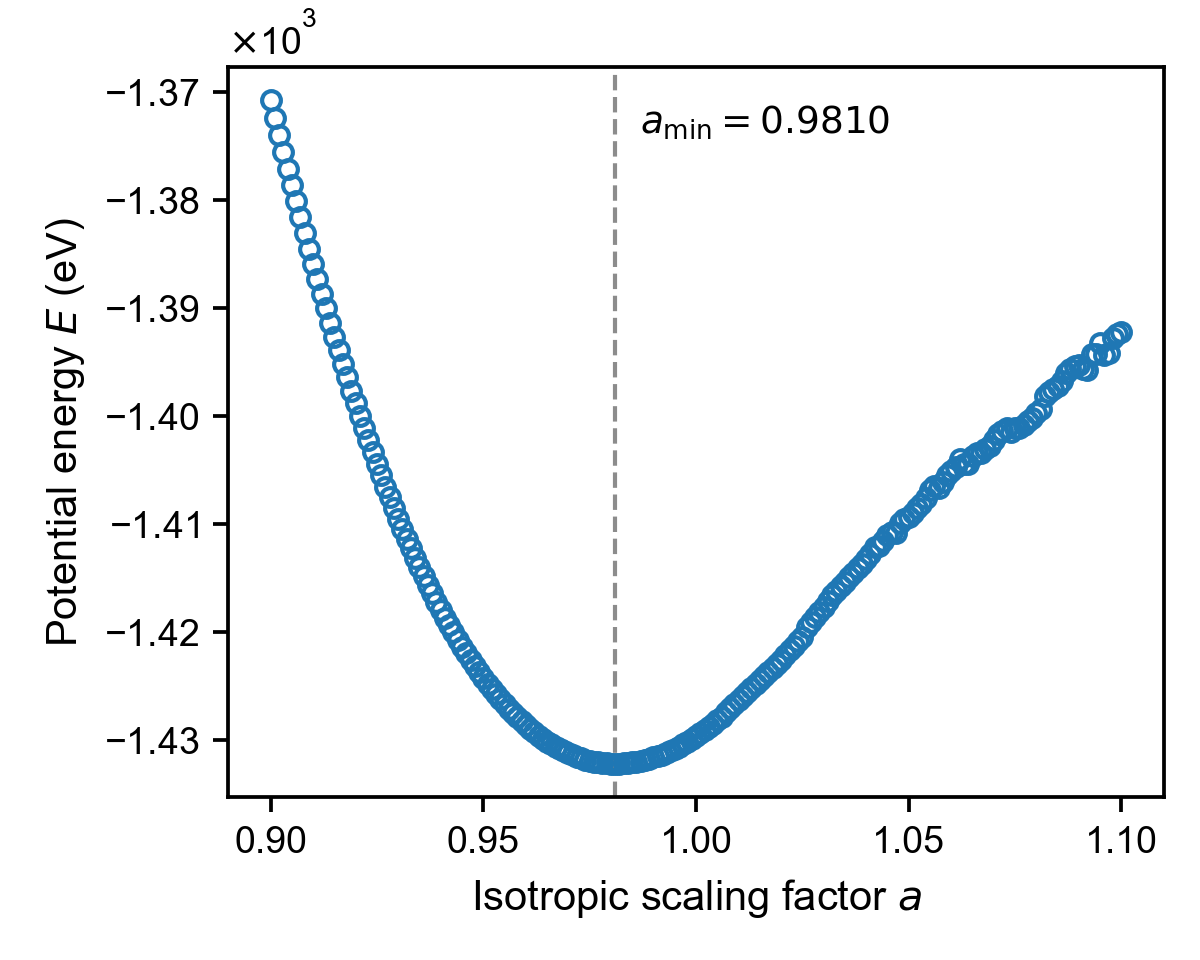
Plots cohesive energy curve from cohesive.out. Useful for analyzing lattice stability and equilibrium lattice constants.
Input File: cohesive.out (isotropic scaling factor vs cohesive energy)
Output: Interactive plot or cohesive.png (with save option)
gpumdkit.sh -plt cohesiveThe sampled energy curve is drawn as open circles, and a vertical dashed line
marks the scaling factor at which the energy is lowest. This value, a_min,
is read directly from the data, so its precision is the step of the scaling
factor in compute_cohesive. The values below come from an LLZO NEP model
scaled isotropically with compute_cohesive 0.9 1.1 6.
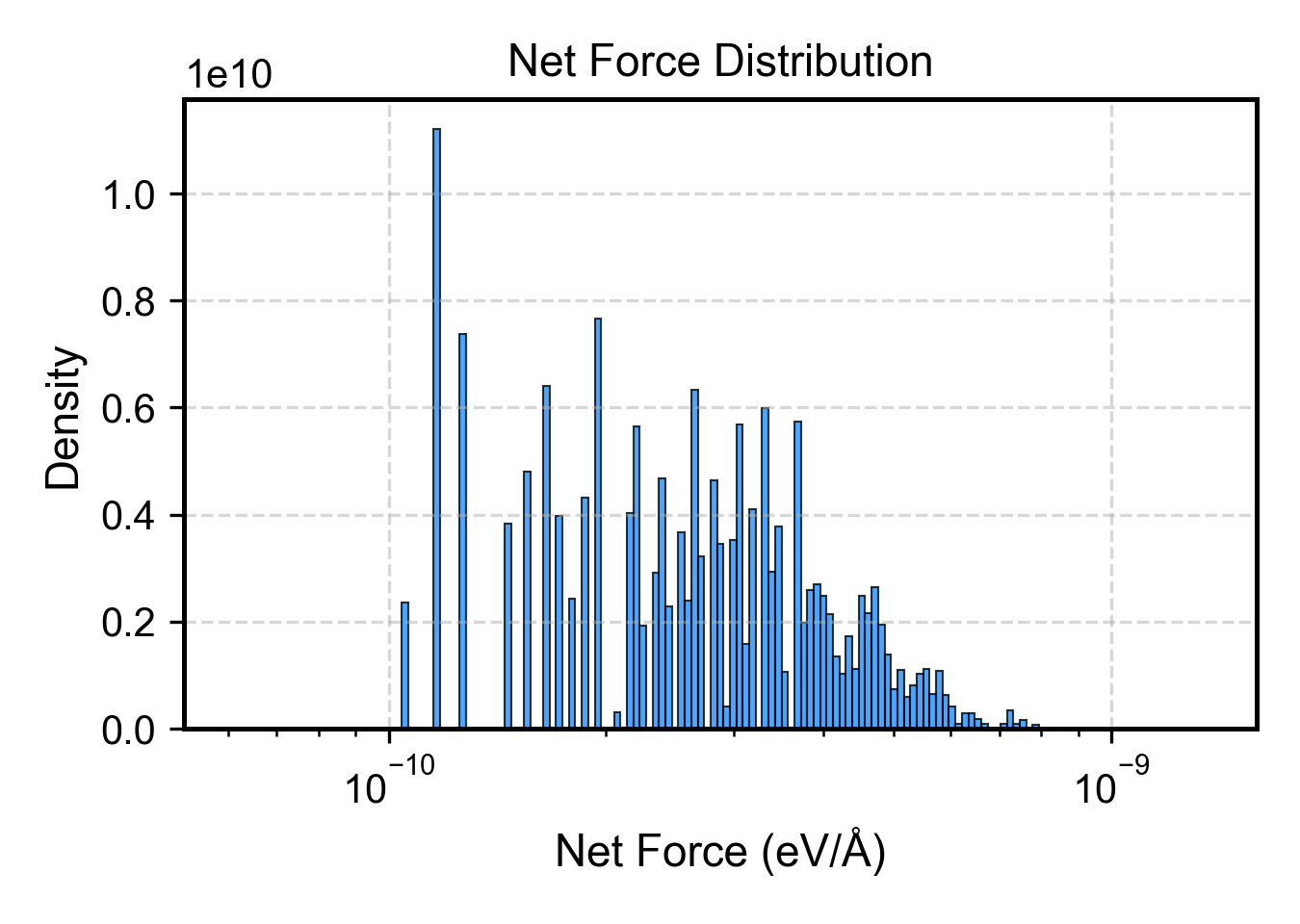
net_force (plt_net_force.py)
Plots distribution of net forces on structures, useful for identifying problematic configurations.
Input File: train.xyz (extxyz format)
gpumdkit.sh -plt net_force train.xyzReference: arXiv:2510.19774
Plane-Grid Plot for Polar Materials
This workflow maps displacement or polarization data onto a grid and plots selected plane profiles. For detailed usage and real-world examples, see Polar Material Analysis.
Dependency:
pip3 install git+https://github.com/MoseyQAQ/ferrodispcalc.gitTypical upstream steps:
gpumdkit.sh -calc nlist -i model.xyz -c 4 -n 12 -C Pb Sr -E O
gpumdkit.sh -calc disp -i movie.xyz -n nl-Pb_Sr-O.dat -o displacements.dat
gpumdkit.sh -calc avg-struct -i movie.xyz -l 0.2 -o averaged_structure.xyz
Usage:
gpumdkit.sh -plt plane-grid -i averaged_structure.xyz -d displacements.dat -e Pb Sr
gpumdkit.sh -plt plane-grid -i averaged_structure.xyz -d displacements.dat -e Pb Sr --select-xy 0 1